

お問い合わせ
ダウンロード
マニュアル、データシート、ソフトウェアなどのダウンロード:
フィードバック
DisplayPort 2.1 Compliance and Debug Solution
Datasheet
詳細情報
オンラインで読む:
Overview
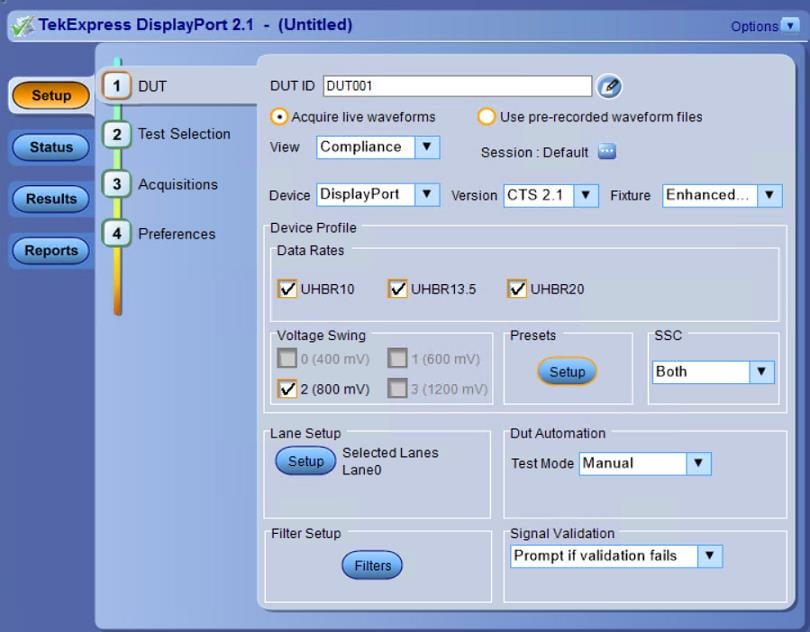
Tektronix provides the most comprehensive solution to serve the need of engineers designing DisplayPort silicon for computer systems and embedded systems, as well as for those who are validating the physical-layer compliance of DisplayPort devices as per the DisplayPort 2.1 Compliance Test Specification (CTS). The Tektronix TekExpress DisplayPort 2.1 Compliance/debug solution help the customers to test their DP2.1 DUTs. The Tektronix application is compatible with Tektronix 7 Series DPO and DPO/MSO 70000 DX/SX Series oscilloscopes that are designed to meet the challenges of the next generation of display standards such as HDMI and DisplayPort.
Key features
Complete compliance testing of data rates UHBR10, UHBR13.5, and UHBR20 for DP2.1 Source devices (Enhanced DP, mDP, and Type-C connectors)
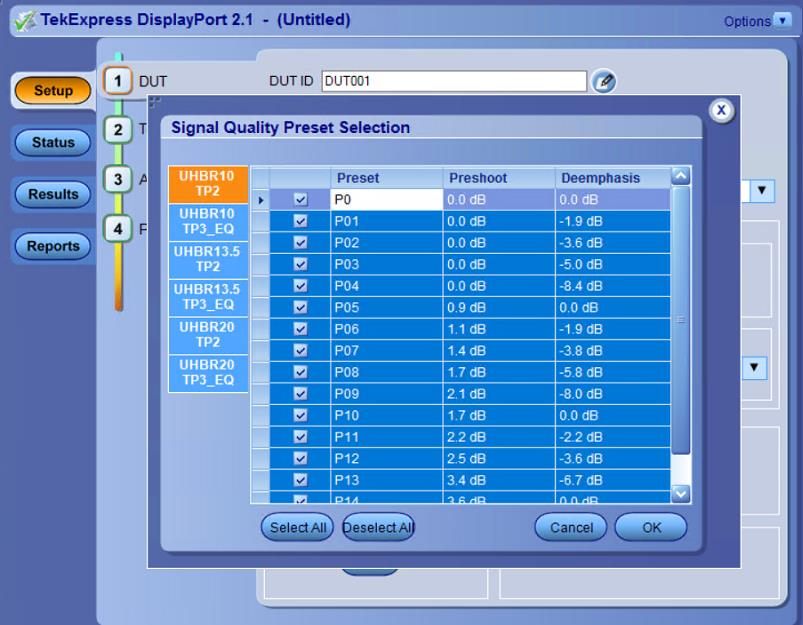
Supports preset optimization feature to find out separate optimal presets for TP2 and TP3_EQ Test points for individual data rates
Supports TX Preset Equalization Tests for all data rates
Supports normative and informative measurements that are mentioned in DisplayPort 2.1 CTS
Optimized algorithms to execute tests with improved accuracy
Analyze multiple data rates and multiple presets at TP2 and TP3 EQ test points for multiple lanes on one go
Supports DUT toggle automation using Unigraf UCD-323 device
Support P7625 and P7633 differential probes
Fixture De-embedding in differential and single-ended mode by creating a custom filter file using SDLA software to leverage the channel modelling and receiver equalization functionality
Support DP2.1 Compliance test execution on best preset as well as all selected preset
Supports signal validation option to detect anomalies in the signal before analysis
Supports offline analysis of the saved waveforms in Pre-recorded mode
Provides a consolidated report for all tests in .mht, .pdf, and .csv formats.
Solution overview
TekExpress DisplayPort 2.1 supports 16 presets for UHBR data rates. It allows you to choose the optimal preset and run the Signal Quality test on it. The DisplayPort 2.1 solution provides flexibility to select different presets for different test points for available data rates. If optimal preset is unknown then the DisplayPort solution allows you to select multiple presets to find the optimal preset from the selected presets and run the Signal Quality test on the optimal preset.
The DisplayPort solution provide Signal Quality run on all presets. It allows you to run a subset of Signal Quality measurements. By default DisplayPort cables (DP40 and DP80) are configured for testing but different cable models can be selected in Advanced mode.
DisplayPort 2.1 transmitter test overview
DisplayPort sources (transmitters) have state control requirements in order to transmit the data patterns and signal properties required to demonstrate conformance as per the compliance test specification. The following properties and patterns need to be transmitted for full measurement coverage:
Bit rates: UHBR10, UHBR13.5, and UHBR20
Data patterns: PRBS15, PRBS31, and SQ128
Preset: 16 presets as defined
Output levels: 800 mV
SSC (spread spectrum): On/Off
Compliance to characterization support
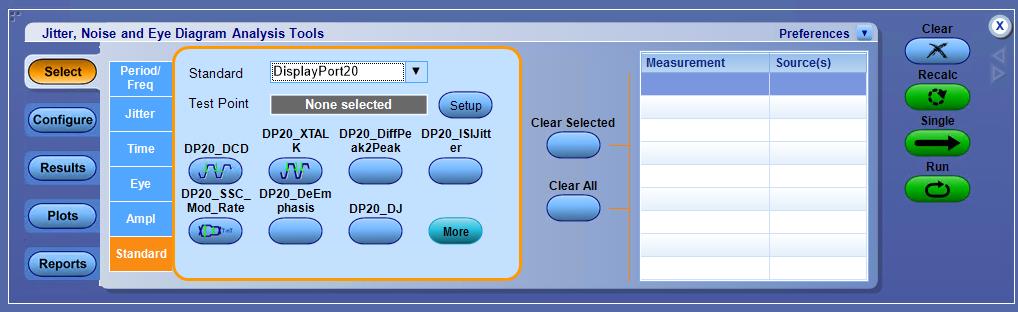
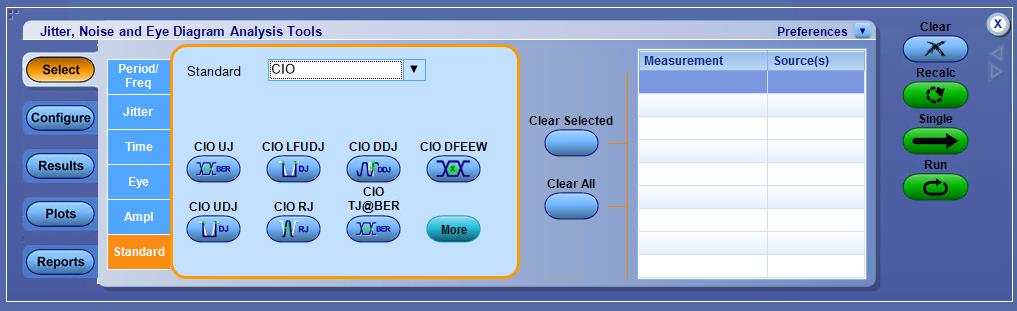
Tektronix offers DisplayPort 2.0 DPOJET essentials package which comes bundled with TekExpress DisplayPort 2.1 Compliance and Debug solution that can be used to characterize a DUT and analyze its finer behavior. It serves as an analysis tool when the DUT fails any portion of the compliance tests or you want to take a deeper look into the failures. All the compliance tests which are supported in the application and requires a single acquisition are supported in this package. You can build automation scripts around these measurements to setup a custom test environment. The DisplayPort 2.0 DPOJET solution also supports all measurements for lower data rates such as RBR, HBR, HBR2, and HBR3.
You can enable this package by running DisplayPort 2.0 from the
DisplayPort 2.0 DPOJET solution comes with setup files. All measurements corresponding to a data rate and a particular pattern are clubbed in a single setup file. Setup files for lower data rates such as RBR, HBR, HBR2, and HBR3 are also included. Setup file helps to avoid any manual mistakes while configuring a measurement. This ensures that a non-expert user can also use the debug solution and validate the results.
SDLA features
SDLA provides the following features:
Enables the user to probe and visualize data at the required location (de-embed / embed) using virtual probing through test points.
Removes (de-embed) the effects of the cables, probes, and fixtures to get more accurate measurement results.
Embeds user defined channel models to simulate the signal at the end of the link.
Opens a closed eye using receiver equalization, Continuous Time Linear Equalizer (CTLE), Decision Feedback (DFE), or Feed Forward Equalization (FFE).
Provides advanced analysis and modeling capabilities.
View and measure multiple test points using DPOJET jitter and eye analysis comprehensive frequency and time domain plots.
Enables quick verification of S-parameters and test point transfer functions.
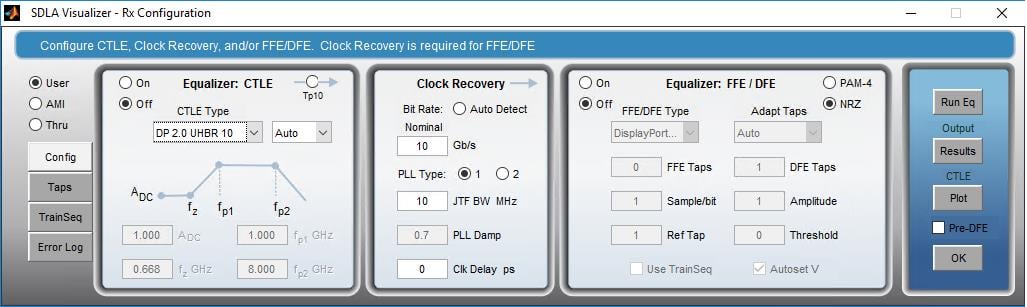
For DisplayPort 2.1, SDLA provides the flexibility of choosing the optimal CTLE. To calculate optimal CTLE based on Eye Area, SDLA selects the appropriate DisplayPort standard from the CTLE dropdown menu and runs the configuration from 0 dB to -9 dB. Optimal CTLE waveforms gets loaded on the oscilloscope and can be configured.
Specifications
Configuration | Description |
|---|---|
Oscilloscope |
|
Probe |
|
List of supported measurements
Measurement | UHBR10 | UHBR135 | UHBR20 | UHBR20 | ||
|---|---|---|---|---|---|---|
TP2 | TP3_EQ | TP2 | TP3_EQ | TP2 | TP3_EQ | |
Yes | Yes | Yes | Yes | Yes | Yes | |
Yes | Yes | Yes | Yes | Yes | Yes | |
Yes | Yes | Yes | Yes | Yes | Yes | |
Yes | Yes | Yes | Yes | Yes | Yes | |
Yes | Yes | Yes | Yes | Yes | Yes | |
Yes | Yes | Yes | Yes | Yes | Yes | |
Yes | Yes | Yes | Yes | Yes | Yes | |
Yes | No | Yes | No | Yes | No | |
Yes | No | Yes | No | Yes | No | |
Yes | No | Yes | No | Yes | No | |
Yes | No | Yes | No | Yes | No | |
Yes | No | Yes | No | Yes | No | |
Yes | No | Yes | No | Yes | No | |
Yes | No | Yes | No | Yes | No | |
Yes | No | Yes | No | Yes | No | |
Yes | No | Yes | No | Yes | No | |
Yes | No | Yes | No | Yes | No | |
Yes | No | Yes | No | Yes | No | |
Ordering information
Nomenclature | Description |
|---|---|
7-CMDP21 | License; TekExpress DisplayPort 2.1b Tx Compliance/Debug Solution (Requires DJA, and SIM); Node locked |
7-CMDP21-FL | License; TekExpress DisplayPort 2.1b Tx Compliance/Debug Solution (Requires DJA, and SIM); Floating |
DPOFL-DP20 | License; TekExpress DisplayPort 2.1 Tx Compliance/Debug Solution (Requires Opt. CIO, DJA, and SDLA); Floating |
DPOFT-DP20 | License; TekExpress DisplayPort 2.1 Tx Compliance/Debug Solution (Requires Opt. CIO, DJA, and SDLA); Floating Trial |
DPO-UP DP20 | TekExpress DP21 Compliance and DPOJET: DP20 TX Plugin Solution (Requires Opt. CIO, DJA, and SDLA64) |
DPO/MSO70000SX/DX Opt. DP20 | TekExpress DP21 Compliance and DPOJET: DP20 TX Plugin Solution (Requires Opt. CIO, DJA, and SDLA64) |
Oscilloscope and software prerequisite
Operating system
7 Series DPO and DPO/MSO 70000 SX/DX with Microsoft Windows 10 OS
Recommended accessories
Item | Vendor | Quantity |
|---|---|---|
PMCABLE1M Phase Matched SMA cable set | Tektronix |
|
P7625 or P7633 Probes [Optional] | Tektronix | 4 |
P76CA-292 or P76CA-292C or P76CA-SMP or P76TA [Optional] | Tektronix | 4 |