與我們聯絡
與 Tek 業務代表即時對談。 上班時間:上午 6:00 - 下午 4:30 (太平洋時間)
致電
請致電
與 Tek 業務代表即時對談。 上班時間:上午 8:30 - 下午 5:30 (太平洋時間)
下載
下載手冊、產品規格表、軟體等等:
意見回饋
產品支援和下載

歡迎使用 Tektronix 產品支援
在我們整天與您愉快「討論技術」的時候,我們知道您很著急。所以我們讓您能夠輕鬆地下載所有目前產品和多項已停產產品的手冊、產品規格表和軟體。只要告訴我們您目前所用的產品,我們就會向您呈現所擁有的一切資訊。
您選擇的產品機型目前尚有存貨可供購買。 該產品提供以下支援資訊。
-
產品規格表 文件編號: 發行日期 混合域示波器
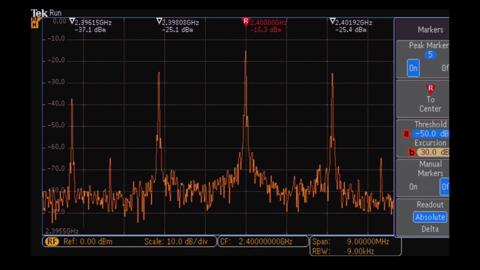
現今的整合設計需要如 MDO3000 混合域示波器 (MDO) 系列的整合式示波器。這是最強大的 6 合 1 整合式示波器,包括整合式頻譜分析儀、任意函數產生器、邏輯分析儀、通訊協定分析儀和數位伏特計/計數器。MDO3000 完全可自訂,且可完整升級。立即添加您需要的儀器,並提升您的效能。48T-30020-11 KickStart 產品規格表
1KT-60965-2
-
使用手冊 手冊類型 零件編號: 發行日期 MDO3000 系列 使用者手冊
混合域示波器主要使用者 077097602 MDO3000 系列 使用者手冊
混合域示波器 User Manual主要使用者 077097601 MDO3000 Series
Oscilloscopes User Manual使用者 071324902 MDO3000 Series Oscilloscope
Declassification and Security Instructions解除機密 077098000 MDO3000 Series
Oscilloscopes User Manual使用者 071324901 MDO4000B, MDO4000, MSO4000B, DPO4000B, and MDO3000 Series
Digital Oscilloscopes Programmer Manual程式設計師 077051006 MDO3000 Series
Oscilloscopes User Manual使用者 071324900 MDO3000 系列 使用者手冊
混合域示波器 User Manual主要使用者 077097600 MDO3000 Series
Oscilloscopes Technical Reference效能驗證 077097900 MDO3000 Service Manual
MDO3000 Series Mixed Domain Oscilloscopes Service Manual服務 077098101 MDO3000 Series Specifications and Performance Verification Manual
MDO3000 Series Mixed Domain Oscilloscopes效能驗證 077097900 MDO4000C, MDO4000B, MDO4000, MSO4000B, DPO4000B, and MDO3000 Series Programmer Manual
Digital oscilloscopes programming commands程式設計師 077051009 Update to the Latest Firmware Read This First
Update Your MDO3000 with the Latest Firmware版本資訊 061440200
-
技術文件 文件類型 發行日期 使用 Tektronix 示波器遠端工作
大多數現代 Tektronix 示波器均支援一或多種遠端工作方式。這些方法包括簡單的檔案共享和離線分析、使用 PC 軟體進行控制、使用 Python 或其他語言進行的自訂編程,以及透過 LAN 進行遠端存取。本技術簡介概述了這些方法以及常見方法的指導。 對於執行 Windows 作業系統的示波器,您可以在此處下載本摘要的另一個版本「使用執行 Windows 作業系統的 Tektronix 示波器遠端工作」。技術簡介 Measurements Matter Flyer
小冊子 Probing Techniques for Accurate Voltage Measurements on Power Converters with Oscilloscopes
Making oscilloscope voltage measurements on power supplies is fundamental, but not without challenges. Much is written on oscilloscopes, but probing techniques are often taken for granted. This application note focuses on probing and covers:Choosing …應用摘要 MDO3000 Series vs. Keysight X3000T Series Oscilloscopes
This 2-page fact sheet compares the features and specifications of Tektronix MDO3000 Series Mixed Domain Oscilloscopes to Keysight X3000T Series oscilloscopes.競爭優勢 電源供應器量測與分析入門手冊
本入門手冊著重於以示波器和特定應用軟體,進行切換模式電源供應器設計的量測。入門 MDO3000 Series vs. Agilent MSO/DSO3000 X-Series
This 2-page fact sheet compares the features and key specifications of the Tektronix MDO3000 Series oscilloscopes to the Agilent 3000 X-Series.競爭優勢 Introduction to Video Measurements
In this application note, we demonstrate using a MSO/DPO5000, MDO/MSO/DPO4000 and MDO/MSO/DPO3000 Series Oscilloscope to make a variety of video measurements that are common in standard and high definition systems.應用摘要 使用 Tektronix 示波器和選配軟體提供串列支援
Tektronix 示波器提供了選配分析功能的組合,可簡化串列匯流排除錯和相容性檢驗等程序。此選型矩陣顯示每個示波器系列所支援的串列標準。產生選擇器指南 MDO3000 系列與 Agilent/Keysight X3000 系列(英)
"瞭解示波器的真正價值 比較示波器時,別忘了看看要獲得您所需配置而需要的「隱性」成本。"競爭優勢 MDO3000 系列與 Agilent N9320B 頻譜分析(英)
關鍵規格、自動標記,再加上 MDO3000 主要特點的逐項比較:擷取頻寬Spectogram 顯示與示波器、邏輯和協議分析整合競爭優勢 使用桌上型示波器執行電源量測和分析
今日的電源供應器正達到前所未見的效率,使得設計工程師需要進行眾多特殊的功率量測,不但耗時而且複雜。瞭解如何使用 Tektronix 桌上型示波器執行自動電源量測功能並提供快速、簡單的分析。應用摘要 嵌入式系統設計中的低速串列匯流排除錯
當今嵌入式系統已經無所不在。嵌入式系統可簡單定義為屬於大 型系統或機器的一部分,是一種專用的電腦系統,其目的是為該 系統或機器提供監測和控制服務。典型的嵌入式系統是從啟動時 即開始執行某些專用的應用程式,直到關閉後才會停止。當前設 計和製造的所有電子裝置,均屬於嵌入式系統。應用摘要 使用 MDO3000 混合域示波器執行日常設計和除錯(英)
利用專為讓您輕鬆又快速地工作而開發的示波器,有效節省您檢驗和除錯設計的時間。有效範圍包括從直流到射頻,類比和數位訊號,以及串列和並列匯流排。技術簡介 MDO3000 系列產品選型和比較指南
本指南有助於在您研究 MDO3000 時進行選擇和比較,其中解釋了示波器、頻譜分析儀和任意函數產生器的主要規格,亦提供了比較範本。產生選擇器指南 MDO4000B 和 MDO3000 系列比較規格摘要表
本規格摘要表比較了 MDO4000B 和 MDO3000 系列混合域示波器的功能和規格。產生選擇器指南 使用任意波形/函數產生器實現真實世界訊號
太克AFG3000系列以及ArbExpress應用軟體的詳細的步驟演示應用摘要 MDO3000 頻譜分析儀與示波器 FFT 比較規格摘要表
本規格摘要表比較了 MDO3000 的內建頻譜分析儀效能與常見示波器的 FFT 效能。規格摘要表 使用混合訊號示波器進行數位除錯的訣竅
隨著電子產品變得更為快速複雜,其設計、驗證與除錯也變得更加困難。設計人員必須密集地驗證其設計,以確保可靠的產品運作。問題發生時,設計人員需要迅速地深入瞭解問題的根源,以解決問題。藉由同時分析類比與數位呈現的訊號,更快速找出眾多數位問題的根源,這讓混合訊號示波器 (MSO) 非常適合用來進行數位電路的驗證與除錯。應用摘要 使用太克被動式探棒提高量測準確度和降低成本
本應用摘要介紹太克高頻寬、低電容被動式電壓探棒如何降低示波器使用者的總擁有成本、改善效能和量測準確度及節省使用者設定時間。大多數示波器標準配備的被動式電壓探棒都提供低成本通用型探測解決方案。一般來說,這些探棒缺乏主動式電壓探棒的效能,但堅固耐用且動態範圍寬,適合查看訊號。應用摘要 Wave Inspector® 簡化波形分析作業
現代的數位示波器可擷取大量資料,且必須在擷取後加以分析。瞭解 Tektronix 波形檢視器的瀏覽與搜尋功能,如何提供工具,讓您快速有效率地找出所要的答案。應用摘要 TekScope PC Waveform Analysis Flyer
Greater productivity and convenience Analyze data at your desk, at home, or on the road. Nothing to learn. It operates just like your oscilloscope. Analyze waveform data from most oscilloscopes on your PC. Remotely access your …規格摘要表 Identifying Setup and Hold Violations with a Mixed Signal Oscilloscope
THIS APPLICATION NOTE Explains the basic setup of a mixed signal oscilloscope (MSO) Tells how to interpret the logic signal display on a Tektronix MSO Explains how to easily identify and measure setup and hold …應用摘要 When to Choose a Dedicated Arbitrary Function Generator (AFG)
This technical brief is written to help you determine the optimum method of arbitrary function generation for your needs. It shows examples of real-world applications and highlights key specifications of Tektronix and Keithley dedicated arbitrary …技術簡介 Analyzing Frequency Response Using the AFG31000, MDO3000, and Kickstart Software
Frequency response of a circuit is a common method of analyzing a circuit’s behavior. This application note details how Keithley’s Kickstart Software makes testing frequency response in a circuit simple, with apps for the AFG and oscilloscope and …應用摘要 Oxford Brookes University Case Study
Tektronix gave a team of student engineers the tools they needed to build an electric racecar, accelerating their knowledge of engineering. Read this story about how they were able to apply the principles learned in the classroom to a hands-on …個案研究 3 Series MDO vs. MDO3000 Series
Find more valuable resources at TEK.COM Copyright © Tektronix. All rights reserved. Tektronix products are covered by U.S. and foreign patents, issued and pending. Information in this publication supersedes that in all …規格摘要表 Automated Frequency Response Measurement with AFG31000, MDO3000, and TekBench™ Instrument Control Software
This application note describes how to use TekBench™ Software and a Tektronix AFG31000 series arbitrary function generator and an MDO3000 oscilloscope to perform the automated frequency response measurement effortlessly within just a few steps.應用摘要 Measurement Data Logging with TekBench Oscilloscope Control Software
Introduction Over the last few decades, a growing number of colleges and universities have revised their approach to laboratory teaching to help students get ready to face real-world electrical engineering challenges after graduation. As part of …應用摘要 Accurate Measurements Matter
The MDO3000 Series scope is designed to make the most accurate measurements in the industry. While many other instruments only offer low-resolution display data, the MDO3000 takes measurements on actual acquisition data, providing an unrivaled view …規格摘要表 SOLUTIONS FOR SCIENTIFIC AND ENGINEERING RESEARCH
小冊子 Testing a New Switch Mode Power Supply Design Poster
Get a quick overview of the key measurements for verifying a new switch mode power supply (SMPS) design. This poster shows key measurements, from verifying your prototype during initial startup, to optimizing switching loss and magnetic losses, to …海報 Tektronix MDO3000 Series Oscilloscope
This demonstration guide takes you through a series of step-by-step demonstrations on how the MDO3000 Series oscilloscope helps simplify the debug of mixed signal designs with its powerful functionality and integrated test instruments. This …使用方式指南 MDO 3000 3D CAD Models
Access the 3D CAD models for the MDO3000 3D CAD Models, designed to support integration into mechanical layouts of test setups and laboratory environments. These files provide precise dimensional representations of the MDO3000, aiding in the planning …CAD Files MDO Signal Path Teardown Poster
MDO4000 and MDO3000 Mixed Domain Oscilloscopes deliver uncompromised oscilloscope performance combined with spectrum analyzer performance on par with standalone spectrum analyzers. But how do they do it? The answer lies in Tektronix’ custom ASICs, a …海報
-
軟體 文件類型 零件編號: 發行日期 KickStart Instrument Control Software version 2.11.5
Simply test automation with your instruments and KickStart software. Automate data collection across multiple instruments simultaneously. Control up to eight apps independently from a single PC interface. Save and reuse test …應用 KICKSTART-2.11.5 KickStart Instrument Control Software version 2.11.4
KickStart Software for the PC enables quick test setup and data visualization when using one or more instruments. Key Features • Save time by automating data collection of millions of readings. • Set up a multi-instrument test with the ability to …應用 KICKSTART-2.11.4 TEKVISA Connectivity Software - V5.11.1
TekVISA is the Tektronix implementation of VISA (Virtual Instrument Software Architecture), an industry-standard communication protocol.When installed on a PC, TekVISA provides communication with instruments that are connected to the PC via various …驅動程式 066093813 KickStart Instrument Control Software Version 2.6.0 (Windows 10, 8, 7 compatible) (NOT SUPPORTED)
"KickStart Software for the PC enables quick test setup and data visualization when using one or more instruments.Key Features• Save time by automating data collection of millions of readings.• Set up a multi-instrument test with the ability to …應用 KICKSTART-2.6.0 Tektronix Openchoice Desktop Application TDSPCS1 - V2.8
The Tektronix OpenChoice Desktop free application lets you capture oscilloscope screen images, waveform data, and settings from a Microsoft Windows computer. After installing the software, refer to the section “Connecting to a PC” in your …公用程式 066093915 TEKVISA Connectivity Software - V4.2.0
TekVISA is the Tektronix implementation of VISA (Virtual Instrument Software Architecture), an industry-standard communication protocol.When installed on a PC, TekVISA provides communication with instruments that are connected to the PC via various …驅動程式 066093812 DPO2000, MSO2000, DPO3000 and DPO4000, MSO3000 and MSO4000, MDO3000 and MDO4000 and MDO3 IVI Driver - V1.5
The Tektronix MSO/DPO2000, MDO/MSO/DPO3000, MDO/MSO/DPO4000 and MDO3 IVI Driver is an IVI class-compliant driver. It complies with Scope Class specifications (IVI-4.1) as defined by the IVI foundation. An IVI class-compliant specific driver for an …驅動程式 066133104 MDO3K FIRMWARE RELEASE - v1.30
MDO3000 firmware update韌體 066158611 MDO3000 FIRMWARE - V1.26
This Firmware is an upgrade for all MDO3000 Series oscilloscopes.韌體 066158609 TEKVISA CONNECTIVITY SOFTWARE - V4.1.1
TekVISA is the Tektronix implementation of VISA (Virtual Instrument Software Architecture), an industry-standard communication protocol.When installed on a PC, TekVISA provides communication with instruments that are connected to the PC via various …驅動程式 066093811 MDO3000 FIRMWARE - V1.24
This Firmware is an upgrade for all MDO3000 Series oscilloscopes.韌體 066158608 Tektronix Openchoice Desktop Application TDSPCS1 - v2.6
The Tektronix OpenChoice Desktop free application lets you capture oscilloscope screen images, waveform data, and settings from a Microsoft Windows computer. After installing the software, refer to the section “Connecting to a PC” in your …公用程式 066093914 MDO3000 FIRMWARE, V1.20
This Firmware is an upgrade for all MDO3000 Series oscilloscopes.韌體 066158606 MDO3000 FIRMWARE, V1.18
This firmware is an upgrade for all MDO3000 Series oscilloscopes.韌體 066158605 MDO3000 FIRMWARE, V1.14
This firmware is an upgrade for all MDO3000 Series oscilloscopes.韌體 066158604 Tektronix Toolbars for Microsoft Office, V4.0.4
Tektronix Toolbars for Microsoft Office v4.0.4 provide toolbars (add-ins) for Microsoft Excel and Microsoft Word.This version of Toolbars requires OpenChoice TekVISA v4.0.0 or higher be preinstalled on the PC or Windows based Oscilloscope.The Toolbar …公用程式 066133202 MDO3000 FIRMWARE, V1.12
This firmware is an upgrade for all MDO3000 Series oscilloscopes.韌體 066158603 TEKVISA CONNECTIVITY SOFTWARE, V4.0.4
TekVISA is the Tektronix implementation of VISA (Virtual Instrument Software Architecture), an industry-standard communication protocol. When installed on a PC, TekVISA provides communication with instruments that are connected to the PC via various …驅動程式 066093809 ARBEXPRESS WAVEFORM CREATION AND EDITING SW, V3.1
ArbExpress is a waveform creation and editing tool for Tektronix AWG and AFG instruments. It provides an easy to use and efficient way to create and edit waveforms, transfer waveforms to and from Arbitrary Waveform Generators (AWG), and …應用 066146103
-
常見問答集 常見問答集 ID I cannot see my signal on the Oscilloscope. What can I do?
Question: I cannot see my signal on the Oscilloscope. What can I do? Answer: You have many options to help diagnose this issue, below are a few suggestions to get started. If you find yourself needing more help, please connect with our Technical …KB-02159 I downloaded and Installed OpenChoice Desktop, but it doesn't recognize my scope.
Question: I downloaded and Installed OpenChoice Desktop, but it doesn't recognize my scope. Answer: Refer to the Prerequisites.txt file available to download on the same page for OpenChoice desktop. Make sure you have all the prerequisites specified …KB-01333 Is the MDO3000 DVM the same as making an analog channel waveform measurement?
Question: Is the MDO3000 DVM the same as making an analog channel waveform measurement? Answer: No, the MDO3000 uses a DVM IC that takes AC+DC RMS, DC and AC RMS measurements from signal on the respective channel inputs. Product Series: MDO3000 Mixed …KB-01901 How do I use the serial decoder function on the MDO3000?
Question: How do I use the serial decoder function on the MDO3000? Answer: The MDO3000 has the ability to decode bus data into binary, hexadecimal, decimal, or ASCII values depending on the protocol. It will separate the decoded data into address …KB-01916 How do I utilize the math channel feature on a DPO/MSO/MDO3000 or DPO/MSO/MDO4000 Series oscilloscope?
Question: How do I utilize the math channel feature on a DPO/MSO/MDO3000 or DPO/MSO/MDO4000 Series oscilloscope? Answer: There are three main functionalities on the Math button on this scope. They range from Dual Waveform Math, FFT (Fast Fourier …KB-01977 How do I use the arbitrary function generator on the MDO3000?
Question: How do I use the arbitrary function generator on the MDO3000? Answer: The MDO3000 contains an integrated arbitrary function generator (or AFG) that can output predefined or user-defined waveforms directly from the instrument. It can also …KB-01920 How do I set up an Ethernet bus decode?
Question: How do I set up an Ethernet bus decode? Answer: Make sure your setup is prepared to decode, that you have the needed probes, scope options, test boards, etc. Once you have the options it's important to know how to use the options and probe …KB-01963 How do I use the mixed signal analysis function of the MDO3000?
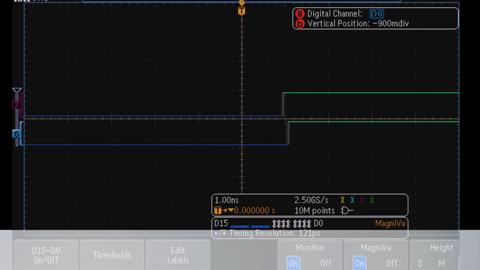
Question: How do I use the mixed signal analysis function of the MDO3000? Answer: Much like its MSO predecessor, the MDO3000 boasts a 16-channel logic analyzer in addition to its 4 analog inputs. The main digital acquisition system can capture up to …KB-01917 How do I set up a CAN bus decode?
Question: How do I set up a CAN bus decode? Answer: Depending on the scope you have, the available options for decoding your CAN signal will depend on the compatibility. For all the DPO/MSO2000/3000/4000/5000 and MDO3000/4000 Series scopes, there are …KB-01959 How do I mount a network drive on my MDO3000 or MDO4000C oscilloscope?
Question: How do I mount a network drive on my MDO3000 or MDO4000C oscilloscope? Answer: This procedure also applies to the DPO/MSO/MDO4000/4000B series oscilloscopes. Note: This Mount a network drive will not work with a direct (peer-to-peer) …KB-01934 How do I run a Signal Path Compensation (SPC) on an DPO/MSO/MDO4000 Series oscilloscope?
Question: How do I run a Signal Path Compensation (SPC) on an DPO/MSO/MDO4000 Series oscilloscope? Answer: Signal Path Compensation (SPC) should be run anytime you are getting DC offsets in your signals, or your scope has moved locations and might …KB-01972 How Do I Set Up a Parallel Bus Decode?
Question: How Do I Set Up a Parallel Bus Decode? Answer: For doing Parallel Bus decode Tektronix recommends using a MSO or MDO + MSO option Series oscilloscopes. This feature comes standard in the Bus menu and can be used in a variety of ways. Start …KB-01955 I recently registered our Tektronix oscilloscope, updated the firmware and am currently trying to activate the free DVM & Frequency Counter. I don’t see any software downloads for activating the DVM. Am I doing something wrong, or looking in the wrong spot?
Question: I recently registered our Tektronix oscilloscope, updated the firmware and am currently trying to activate the free DVM & Frequency Counter. I don’t see any software downloads for activating the DVM. Am I doing something wrong, or looking …KB-01384 How do I know if an AC signal applied to the MDO3000/4000/B RF 50 Ω input is going to exceed the maximum input power rating, and cause clipping, or damage?
Question: How do I know if an AC signal applied to the MDO3000/4000/B RF 50 Ω input is going to exceed the maximum input power rating, and cause clipping, or damage? Answer: MDO3000, MDO4000/B Advanced Math equation will calculate the AC signal's …KB-01902 How do I reduce noise on signals using an oscilloscope?
Question: How do I reduce noise on signals using an oscilloscope? Answer: There are many methods to reduce many types of noise on a signal. Tektronix oscilloscopes can do this through bandwidth limiting the scope input, averaging your signal …KB-01968 How do I use the spectrum analyzer function on the MDO3000?
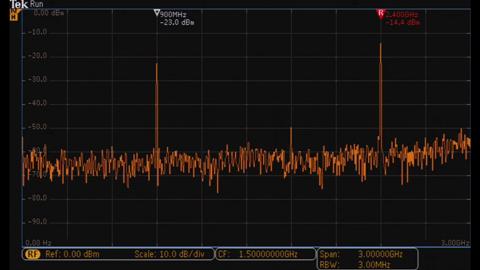
Question: How do I use the spectrum analyzer function on the MDO3000? Answer: The MDO3000 contains a full-fledged spectrum analyzer with many useful features, including automatic markers, a spectrogram, automatic measurements, and up to 3 GHz …KB-01919 How do I utilize the measurement features on a DPO/MSO/MDO3000 and DPO/MSO/MDO4000 Series oscilloscope?
Question: How do I utilize the measurement features on a DPO/MSO/MDO3000 and DPO/MSO/MDO4000 Series oscilloscope? Answer: The Measurements are the same as the DPO/MSO2000 Series scopes. By going into the measurement menu you can add and remove up to …KB-01978 How do I use the DVM and frequency counter function on the MDO3000?
Question: How do I use the DVM and frequency counter function on the MDO3000? Answer: The DVM can use any of the 4 analog scope inputs to feed the signal into a free-running voltmeter with 4-digit precision or into a frequency counter with 5-digit …KB-01918 How do I clear my memory using TekSecure on a MSO/DPO/MDO4000 Series oscilloscope?
Question: How do I clear my memory using TekSecure on a MSO/DPO/MDO4000 Series oscilloscope? Answer: This procedure for clearing the memory on oscilloscope can be applied to the DPO/MSO/MDO4000, DPO/MSO3000 and DPO/MSO2000 Series oscilloscope …KB-01971 Is the MDO3000 free video the same as the DPO3VID
Question: Is the MDO3000 free video the same as the DPO3VID. Answer: On our past MSO/DPO3000 Series products, we had an extended video analysis module. Well, we have now made all that capability standard on the MDO3000. And the 500MHz models and …KB-01248 Does Tektronix have a 12-bit oscilloscope?
Question: Does Tektronix have a 12-bit oscilloscope? Answer: Yes! Tektronix offers many different models of real-time oscilloscopes that provide 12-bit or greater vertical resolution for a variety of applications. Because many high-vertical …KB-01922 Why isn’t the TPP1000 (Tektronix Passive Probe 1GHz) compatible with my scope?
Question: Why isn’t the TPP1000 (Tektronix Passive Probe 1GHz) compatible with my scope? Answer: Short answer is that if your scope doesn’t have the notched key that allows the probe to connect, then the TPP probe requires a different termination …KB-01380 My Tektronix oscilloscope uses the Linux operating system. Where do I get a copy of the linux open source code as stated in the GNU Lesser General Public License notice?
Question: My Tektronix oscilloscope uses the Linux operating system. Where do I get a copy of the linux open source code as stated in the GNU Lesser General Public License notice? Answer: For our Linux based instruments or programs licensed under …KB-01940 Will the DVM work on the MDO3000 series scope with a probe?
Question: Will the DVM work on the MDO3000 series scope with a probe? Answer: Yes, the DVM works through the analog inputs, therefor you can use standard probes. Product Series: MDO3000 Mixed Domain OscilloscopeKB-01909 Can the P6316, P6516, or P6616 logic probes be used interchangeably?
Question: Can the P6316, P6516, or P6616 logic probes be used interchangeably? Answer: The simple answer is no they can't be used interchangeably. The front end of the logic channels are different so different logic probes are needed between the …KB-02989 Can existing MSO3000/DPO3000 scopes be upgraded/modified to a MDO3000?
Question: Can existing MSO3000/DPO3000 scopes be upgraded/modified to a MDO3000? Answer: No, there is no conversion path to go from an existing MSO/DPO3000 to a MDO3000. Product Series: MDO3000 Mixed Domain Oscilloscope MSO3000 / DPO3000KB-01910 Can the MDO3000 capture the time domain and the frequency domain simultaneously?
Question: Can the MDO3000 capture the time domain and the frequency domain simultaneously? Answer: The MDO3000 is most importantly an oscilloscope, but has a total of 6 different instruments individually built into it. Designed in such a way to …KB-01914 What probes are supported on the RF input of the MDO3000 and MDO4000 series?
Question: What probes are supported on the RF input of the MDO3000 and MDO4000 series? Answer: The RF input on the MDO3000 and MDO4000 series has an N connector, so the RF input can support cables, antennas, and other adapters typically used with a …KB-02001 What are the maximum power draw ratings for the MDO3000 TEKVPI probes?
Question: What are the maximum power draw ratings for the MDO3000 TEKVPI probes? Answer: The MDO3000 has a max power draw of 25 Watts. The download link below provides a PDF listing of wattage draw for different active probes and max limits of …KB-01915 What probe interface does my oscilloscope have?
Question: What probe interface does my oscilloscope have? Answer: Oscilloscope seriesProbe interfaceCSA7000/CSA7000BTekConnectDPO2000TekVPIDPO3000TekVPIDPO4000TekVPIDPO4000BTekVPI w/ HardkeyDPO5000 / DPO5000BTekVPI w/ …KB-02049 Is the AFG (Arbitrary Function Generator) in the MDO3000 field upgradable?
Question: Is the AFG (Arbitrary Function Generator) in the MDO3000 field upgradable? Answer: Yes, the MDO3AFG is field upgradable by customers. The MDO3AFG is a "single-use" application module. This application module can enable the AFG which is …KB-01912 Can the optional AFG in the MDO3000, MDO4000C and 5 Series MSO be set to sweep?
Question: Can the optional AFG in the MDO3000, MDO4000C and 5 Series MSO be set to sweep? Answer: AFG in MDO3000, MDO4000C, and 5 Series MSO do not have sweep function. But a limited sweep may be created using the arbitrary function. Possible …KB-01345 My company purchased a Tektronix MDO4104C oscilloscope last year and we purchased three application modules. They are not showing up on our scope anymore and we would like some help getting them back.
Question: My company purchased a Tektronix MDO4104C oscilloscope last year and we purchased three application modules. They are not showing up on our scope anymore and we would like some help getting them back. Answer: Push Utility on the front panel …KB-01383 What is included in the Tektronix Near Field Probe kit (Tek p/n 119-4146-00) and what are they used for?
Question: What is included in the Tektronix Near Field Probe kit (Tek p/n 119-4146-00) and what are they used for? Answer: The Tektronix 119-4146-00 Near Field Probe Set is intended to serve as a versatile aid for diagnostic testing of radiated …KB-02002 Why does the Tkdpo2k3k4k_ReadWaveform() function in the Tkdpo2k3k4k IVI-C driver time out
Question: Why does the Tkdpo2k3k4k_ReadWaveform() function in the Tkdpo2k3k4k IVI-C driver time out every time I call it when I am connected to the instrument via Ethernet? The function call works fine over USB, but over Ethernet it always times out …KB-01425