

Question:
How can I ungroup the channel badge on the 5/6 Series MSO?
Answer:
On firmware v1.12 or above, the 5/6 Series MSO added the stacked and overlay mode mix and match feature. It allows user to group multiple channels for overlay mode for easy comparison.
To separate the channels in the group, there are couple options.
1) Move the channel badge upward to ungroup the channel
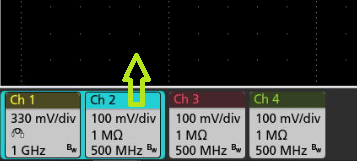
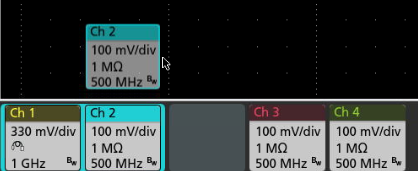
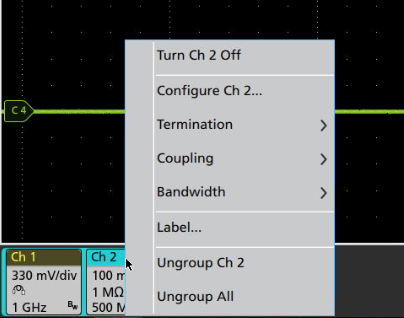
2) Right mouse click or press and hold the touch screen to bring up the sub menu for the ungroup option.
Product Series: 5 Series MSO Low Profile 5 Series B MSO 6 Series B MSO