

Contact us
Call
Call us at
Available 9 AM - 5 PM CET Business Days
Download
Download Manuals, Datasheets, Software and more:
Feedback
Bit Error Rate Tester
BitAlyzer® BA Series Datasheet
The products on this datasheet are no longer being sold by Tektronix.
View Tektronix Encore for reconditioned test equipment.
Check support and warranty status for these products.
BitAlyzer® BA Series Datasheet
The BitAlyzer Bit Error Rate Testers BA Series are the industry's best solution to the challenging signal integrity and BER issues faced by designers verifying, characterizing, debugging, and testing sophisticated electronic and satellite communication system designs.
Notice to EU customers
This product is not updated to comply with the RoHS 2 Directive 2011/65/EU and will not be shipped to the EU. Customers may be able to purchase products from inventory that were placed on the EU market prior to July 22, 2017 until supplies are depleted. Tektronix is committed to helping you with your solution needs. Please contact your local sales representative for further assistance or to determine if alternative product(s) are available. Tektronix will continue service to the end of worldwide support life.
Key performance specifications
- Up to 1.6 Gb/s Pattern Generator/Error detector for fast, accurate characterization of digital communications signaling systems
- PRBS or 8 Mb user-defined patterns provide the versatility to debug or verify any combination of digital signaling
- ANSI jitter measurements (RJ, DJ, and TJ) to measure the impact of random and deterministic jitter on the total jitter at BER of 10–12
Key features
- Built-in clock source for extremely accurate timing
- Adjustable amplitude, offset, logic threshold, and termination enable signaling variations to stress test your receiver designs
- Differential and single-ended I/O ensuring connectivity for a variety of communications bus standards
- BitAlyzer error analysis to rapidly understand your BER performance limitations, assess deterministic versus random errors, perform detailed pattern-dependent error analysis, perform error burst analysis, and error-free interval analysis
- Eye diagram display with automatic measurements and fast eye mask testing for quick signal integrity analysis of the device under test
- Q-factor measurement to swiftly analyze the vertical eye opening in terms of BER
- BER contour with automatic mask creation to measure and view the eye diagram opening as a function of BER
- Forward error correction emulation for built-in verification of FEC performance on your communication system design
- Error mapping provides you with the debugging support to identify the cause and location of signaling errors
Applications
- Semiconductor characterization
- Production eye mask, BER, and jitter testing
- Satellite communications system functional testing
- Wireless communications system functional testing
- Fiber optic system and component testing
- Forward error correction evaluation
Unmatched performance for greater insight into your design to get your work done faster
The BitAlyzer series bit error rate testers are the industry’s best solution to the challenging signal integrity and BER issues faced by designers verifying, characterizing, debugging, and testing sophisticated electronic and communication system designs.
The family features exceptional performance in signal generation and analysis, operational simplicity, and unmatched debugging tools to accelerate your day-to-day tasks. The most comprehensive suite of physical-layer test tools available and the intuitive user interface provide easy access to the maximum amount of information.
Simple user interface
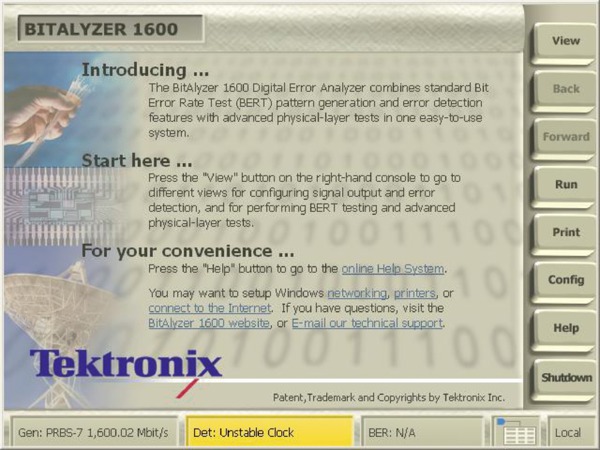
TThe BA1500 and BA1600 have the most advanced user interface found on any bit error rate tester. The display offers easy-to-press control buttons and generous status readouts. From the Home page view, users can learn how to get started with the instrument. Convenient links to the internet, technical support e-mail, and network and printer setup can be accessed as well.
The Home view is the starting point for the BA1500 and BA1600. Use the touch-screen buttons on the right-hand side to select the view, operating mode, and configuration of the analyzer.
Users also receive the Quick Start user manual with simple step-by-step tutorials that introduce the analyzer and some of the new analysis features. Within an hour, users are performing instrument setup, making error measurements, and studying bit error statistics.
Pattern generator
The BA1500 and BA1600 include an internal data generator capable of generating any one of five pseudo-random data streams, or a user-defined sequence up to 8 Mb. Data generation is controlled by either the standard internal clock source or an externally supplied clock input. Variable delay is supported with 0.1% resolution within a bit period to adjust output skew. User data patterns can be imported or created in the built-in editor.
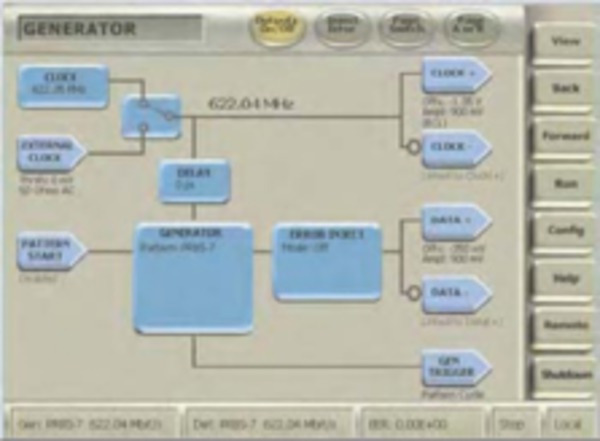
An intuitive user interface allows easy access to the impressive flexibility of the pattern generator and internal clock source.
Factory presets are included for commonly used logic families. Moreover, clock and data can be independently adjusted for amplitude and offset levels for both differential and single-ended outputs.
Pattern detector
Errors are identified using bit-by-bit comparison of the incoming data stream with the expected sequence. Errors found in the received sequence can be analyzed in real time by the internal processor and/or recorded to the internal hard disk drive for later analysis or archive. The receiver will automatically synchronize with one of five true or inverted pseudo-random sequences or 8 Mb user patterns.
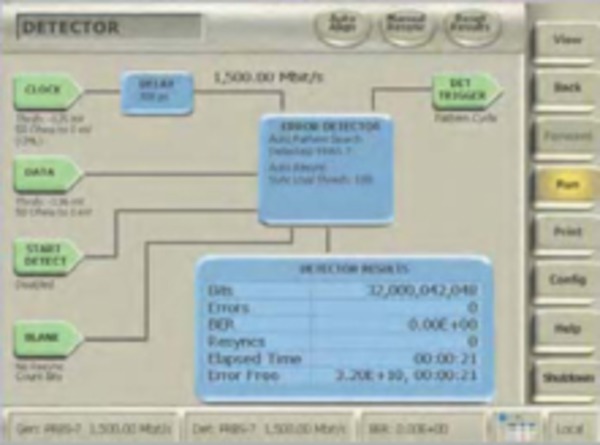
Differential and single-ended inputs are supported and adjustments for threshold level and termination voltage are allowed. Convenient logic family name setups can also be used.
Differential and single-ended inputs are supported and are fully adjustable for threshold and termination, with factory presets included for common logic families. Auto Scale can find eye center in under two seconds.
User pattern editor
User data patterns for the generator and detector pattern memories can be created or changed using the built-in pattern editor. Users can capture data into the pattern editor from the error detector input and create reference patterns. The pattern editor supports PRBS keywords, repeat loops, and variable assignments. Users can work in either hexadecimal, decimal, or binary.
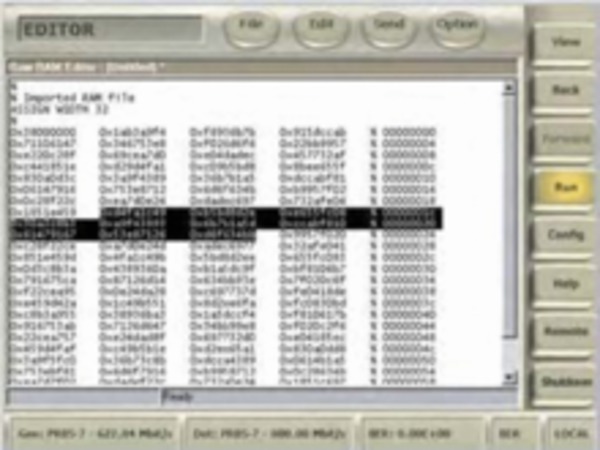
This example user data pattern was captured from the incoming data stream and then altered manually before being sent to the pattern generator as the output data sequence.
Pattern files are stored on the Windows file system and can be imported or accessed through the provided network interface. Patterns can easily be shared between BA1500s and BA1600s.
Error log
A common application for BER monitoring requires logging error measurements and other significant events during an extended test. The BA1500 and BA1600 has a built-in logging feature that can be set to log BER values worse than a programmable threshold at an interval set by the user. Along with monitoring the BER value, other events including synchronization loss or settings changes are also logged.
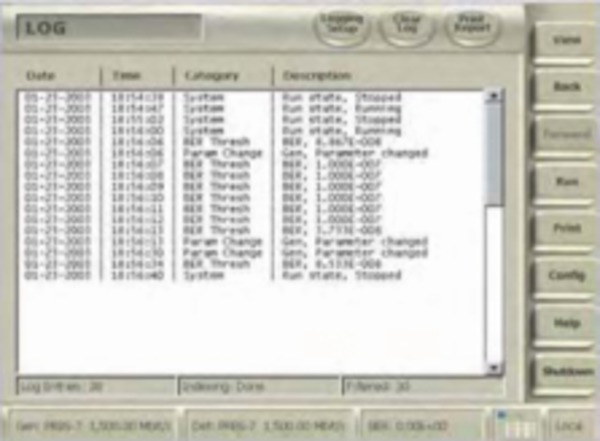
The user interface for BER logging is very straightforward. Users set the BER threshold and define what to log. The logging interval is the same interval used when measuring BER in the Detector view.
Log files can be printed or archived and are an easy way to validate system performance or to quickly see when time errors came in.
Basic BER statistics
Error Location analysis is the patented method of allowing the available computer processing power to study the exact bit locations of errors found during a test. With the exact bit locations, the BitAlyzer can uncover error dependencies and correlations far better than when using simple error rates. Error Location analysis is included in the Physical Layer Test Suite option.
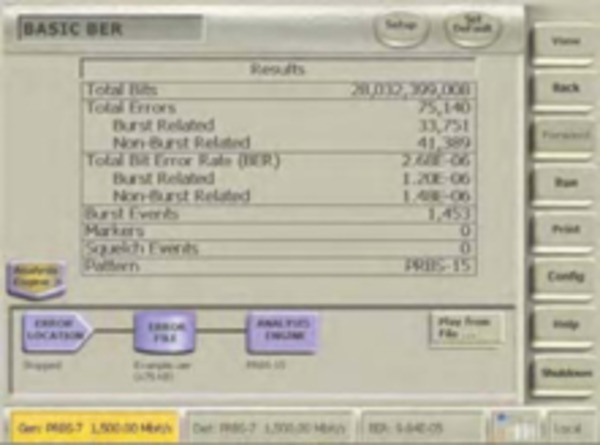
The individual error rates and counts for bit versus burst errors are displayed on the Basic BER view. This simple separation can focus debugging efforts in the right area.
Tabular results of separate bit and burst error statistics are also monitored, giving the user convenient access to the number of burst events as well as error counts and rates. All error location analysis data can either be analyzed in real time or be recorded to an internal hard disk drive for later analysis or archive. The analysis engine has controls to allow setting file names, error recording modes, and other settings.
Strip chart of BER
Trends are very important when studying error rates. Strip charts have commonly been used to monitor measurements versus time. The built-in Strip Chart view on the BitAlyzer allows users to watch bit, burst, and total error rates versus time. The speed of the time axis can be set by adjusting the number of bits to be included in each bit error rate measurement. Additionally, the zoom level of the display can be set.
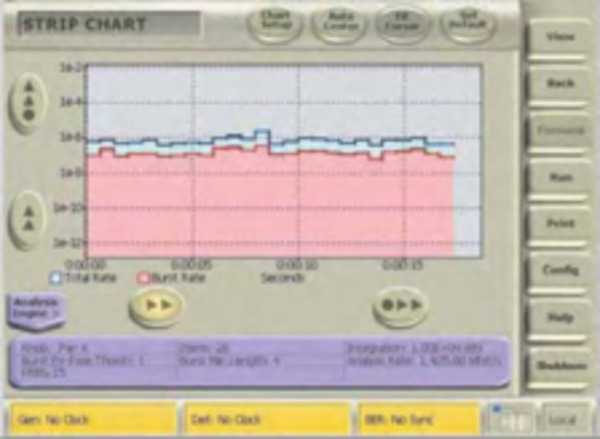
Bit error rate trends are easily seen on a strip chart. Thermal cycling or changing conditions that affect communications can be tracked.
Repetitive errors that occur at low frequencies can be isolated with this view. For example, a burst of errors that happens every 6 seconds would be easy to spot. Strip charts also work on live or recorded error data sets. The Strip Chart view is included in the Physical Layer Test Suite option.
Error-free intervals
Error-free Interval analysis shows how often different error-free intervals have occurred in the system under test. Error-free intervals that occur more often than others indicate systematic, rather than random, error behavior. At the same time, the length of a repetitive error-free interval points to the frequency of interference, giving an excellent clue as to what might correlate to the unwanted errors.
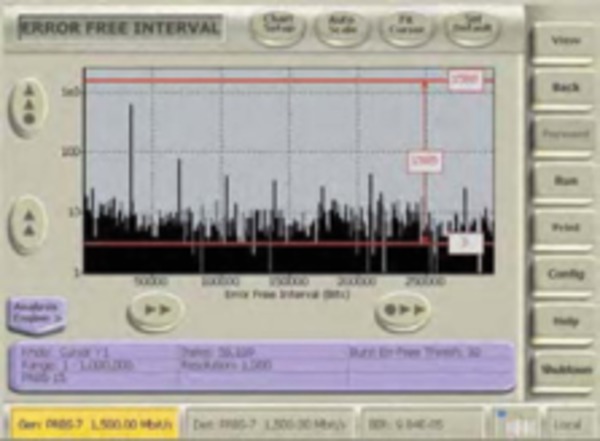
Error-free intervals that are repetitive are a sure sign of a systematic error. Finding spikes such as these during a measurement can quickly indicate the interfering frequency.
Error-free interval information can accumulate very quickly, so it does not take a lot of data or long tests to isolate error interferences. The BA1500 and BA1600 error-free interval analyzer can be set to study short or long error-free intervals by adjusting the starting and stopping point of the histogram view. Error-free Interval analysis is included in the Physical Layer Test Suite option.
Pattern sensitivity
The Pattern Sensitivity analysis capability is an outstanding way of identifying data-dependent errors. This histogram shows the number of errors for every bit position of the test pattern used. Test patterns can be either the built-in PRBS patterns, or user-defined patterns. The cursors can be used to find the data values at and around the locations of pattern-dependent errors.
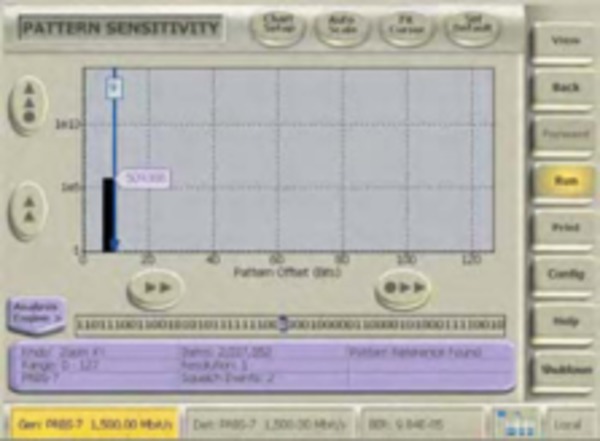
In this case, a 127-bit PRBS7 pattern was used and the detected errors correlated strongly to the data pattern. Notice the NRZ data display below the histogram that shows the highlighted data bit values at the cursor location.
Extended tests with long PRBS patterns may fail because of a few errors. By using this analysis, it is easy to see if all the errors were due to the same bit sequence in the test pattern or were randomly distributed in the pattern. Pattern Sensitivity analysis is included in the Physical Layer Test Suite option.
Burst length histogram
Bit and burst errors are typically caused by different physical phenomena. The BitAlyzer can measure burst error lengths up to 32,000 bits and show them in a histogram, allowing the user to quickly distinguish between error types. Users define the requirements that must be met to have a burst error. Burst length histograms are helpful as signatures for "normal" operation as well as when designing error correction coding systems.
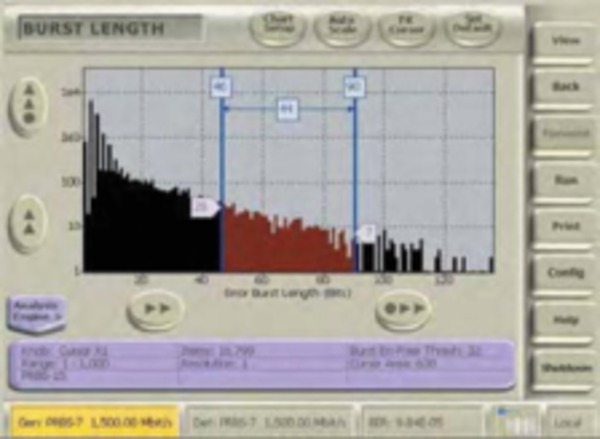
This is a typical burst length histogram in a Viterbi-protected communications channel. Cursors can be used to measure the number of bursts.
Digital processing errors will often cause a repetitive error length, while interference will often have some variation in error length. This analysis is often used with the Error-free Interval analysis to get a better understanding of both the size and frequency of errors. Burst length histograms are included in the Physical Layer Test Suite option.
Error correlation
Finding correlations between system architectures or physical happenings and bit error statistics is the key to identifying the cause of many errors. The techniques in Error Location analysis are designed to find these correlations. The correlation analysis lets users set a block size as either a fixed number of bits (a data bus width or a packet size), or as an interval defined by an external marker input (a sector marker on a disk drive, or a rotation marker in an engine), to see how errors correlate to these blocks.
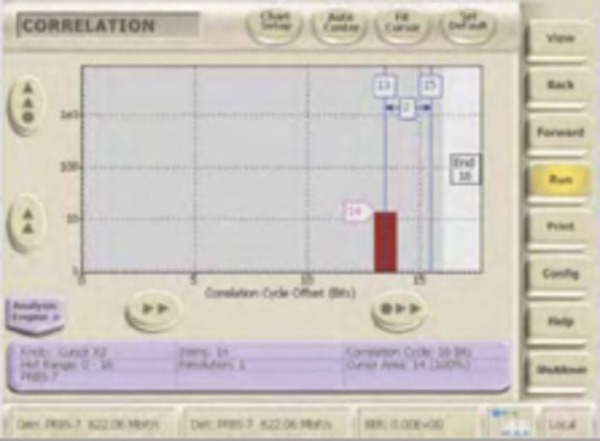
When testing MUX/DEMUX circuits, correlation to the multiplexer width can show if errors happen in the serial domain or in the parallel domain.
When all bit positions within the block size have an equal number of errors, then no correlation is found; however, if specific offsets within the block have abnormally higher error rates, then a correlation exists. Error Correlation is included in the Physical Layer Test Suite option.
Block error analysis
Many popular systems have performance that is more related to block error rates rather than bit error rates. The BA1500 and BA1600 allow the user to define a block size to display a histogram of the number of times blocks occur that have various numbers of errors in them.
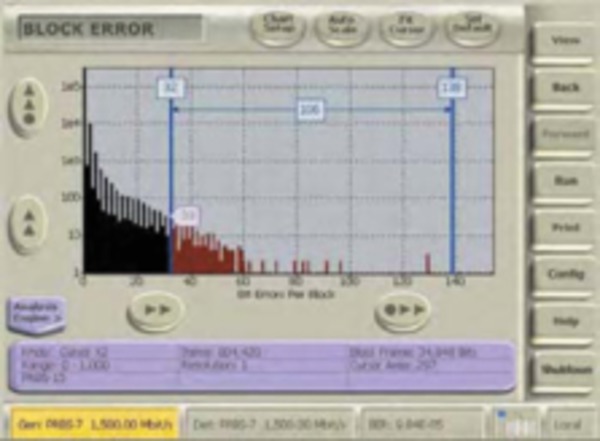
Block error statistics are often more important to system operation than exact bit error measurements. Block sizes can be adjusted and histograms show how many times blocks occur with different numbers of errors in them.
Cursors can conveniently be used to find out how many blocks have occurred with more than some specific number of errors inside. The maximum block size is 4 billion bits, making this a very powerful analysis for common block sizes. Block Error analysis is included in the Physical Layer Test Suite option.
Eye diagram
The Eye Diagram display is part of the Physical Layer option. This display shares the same sampling electronics as the BER function and provides convenient eye diagrams without the need for swapping cables among instruments.
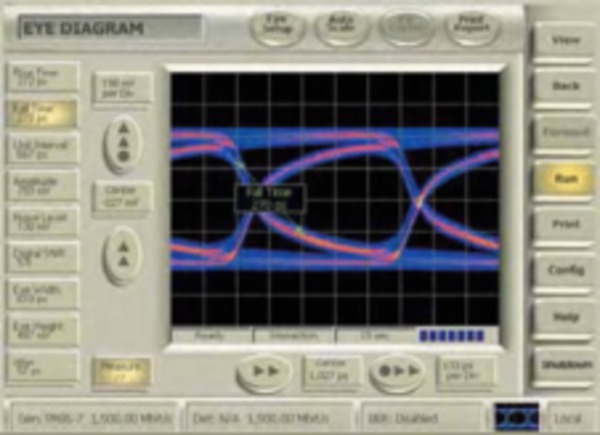
The optional eye diagram can be used to visually check the data input waveform quality before bit error rate tests are performed.
Automatic measurements of rise/fall times, jitter, amplitude, noise levels, and eye-opening ratio are provided. Users can pan or zoom around the eye diagram to understand the exact behavior of the signal being used for bit error rate testing. The eye display shows the combination of effects from the user's signal and the BER decision circuit.
Mask test
Eye mask testing is a part of the Physical Layer option. Fast eye mask testing is a key element in test productivity. Common oscilloscope methods operate at a fixed effective sampling rate requiring mask tests to run for many, many seconds. By using BER-based methods, mask perimeters inside, above, and below the eye can be tested to far greater confidence in a few seconds.
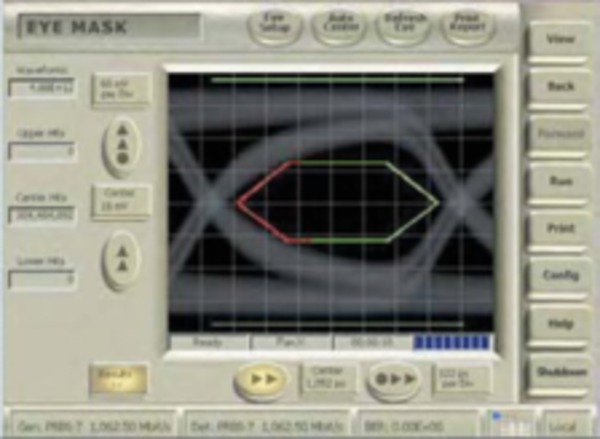
Industry-standard and custom masks are tested many times faster using built-in BER-based methods.
Standard mask templates are available and the built-in editor can be used to create custom ones. Masks can also be automatically created from the BER Contour analysis, allowing users to create a golden mask at a prescribed BER level. Masks can be scaled and repositioned.
Q-factor analysis
Q-factor analysis is part of the Physical Layer option. Q-factor is to the amplitude domain what jitter is to the time domain. Q-factor is a measure of the signal-to-noise ratio of the amplitude. It says how clean the vertical eye opening is. This relates to how easily you will be able to make a 1 or 0 logic decision.
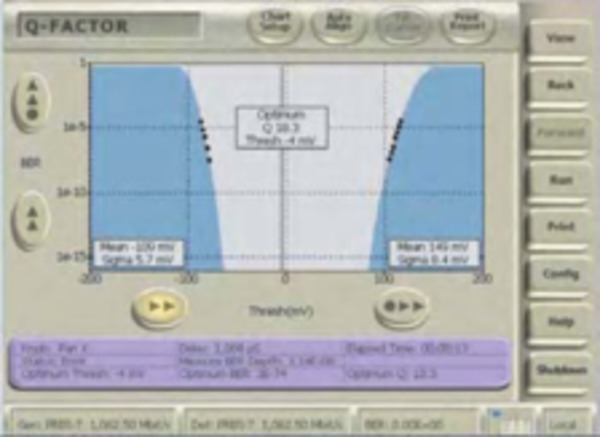
This Q-factor display was done in 13 seconds. The best decision level is shown by the cursor. Note this is not in the center of the opening, as the voltage rail around 100 mV has a wider standard deviation.
The BitAlyzer can do this most efficiently because of its naturally high sample rate but, most importantly, it can do it for only those waveform transitions that are nearest to the middle of the eye - the ones that would be first to be mistaken and cause bit errors.
The results of Q-factor analysis show the best predicted BER value expected, along with the optimum decision-level voltage.
BER contour
Bit Error Rate Contour measurement is part of the Physical Layer option. This analysis computes the bit error rate around the perimeter of the eye opening and fits these results to the expected bit error rate response curves predicted by additive noise. The depth of the contours can then be extrapolated to lower levels than the actual measurement would allow.
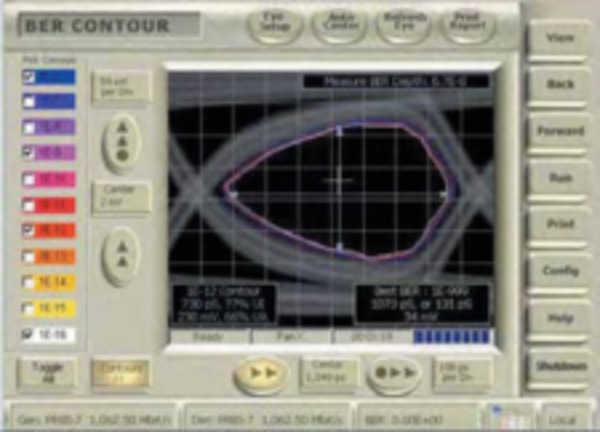
The accuracy of the BER contour improves as the test runs longer. This example took 1.5 minutes to collect. The best predicted BER and sampling location are also shown.
BER contours are used to identify how much headroom may be present in a system after considering the amount of decision-point variation that might occur. BER contours can also be exported as golden masks for mask testing against a known good sample.
Jitter peak
Jitter testing is part of the Physical Layer option. It provides Random Jitter (RJ), Deterministic Jitter (DJ) and Total Jitter (TJ) measurements automatically, using the fast BER-scan technique. Jitter measurement accuracy is a function of the sample size used, and no competing jitter measurement technique can match the data gathering efficiency of using BERT scan data. More comprehensive BER measurements mean that there are more significant data points to use when extrapolating BER to make precise jitter measurements.
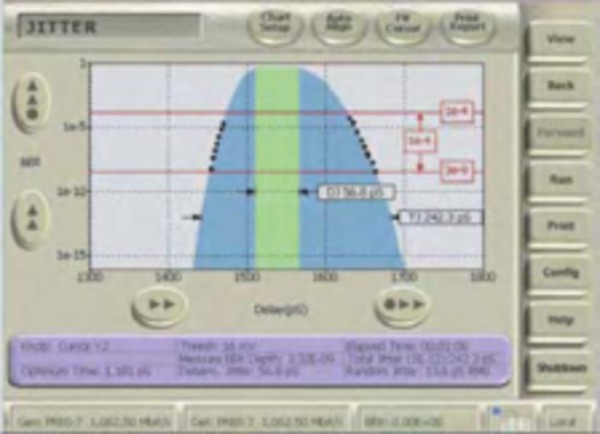
To get better results, BER data above 1e -4 BER are not used when predicting deep BER values. The longer the test runs, the more precise the measurements become.
The left-hand and right-hand sides of the jitter distribution are measured separately. The center green area shows the deterministic jitter between the two outermost gaussian distributions.
Forward error corretion emulation
Forward Error Correction Emulation analysis is included in the Physical Layer Test Suite option. Because of the patented error location ability, the BitAlyzer knows exactly where each error occurs during a test. By emulating the memory blocks typical of block error correcting codes such as Reed-Solomon architectures, bit error rate data from uncorrected data channels can be passed through hypothetical error correctors to find out what a proposed FEC approach would yield.
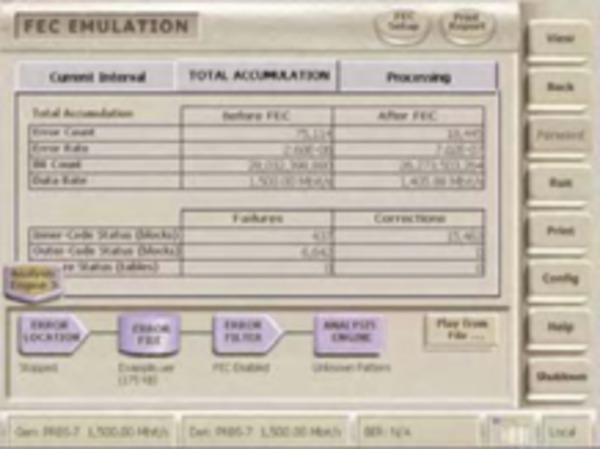
FEC parameters are defined and can be used on live or recorded error data sets. Many different FEC architectures can be tested quickly on a single error data set.
Users can set up error correction strengths, interleave depths, and erasure capabilities to match popular hardware correction architectures.
One-dimensional correctors allow users to set the number of symbols in an FEC block and the number of possible corrections. One-dimensional correctors can be preceded by a two-dimensional interleave, allowing improved burst error correction capability.
Two dimensions of correction can also be used to implement product-array correctors. In this case, the user specifies the number of rows and columns in the product array, along with the correction strength in both dimensions. As errors are found during the test, they are placed into the emulating table according to the interleaving configuration and, as the table fills, each enabled corrector is checked for cases where the number of errors exceeds the correction strength in any FEC codeword.
In the case of two-dimensional correctors, users can also set a configuration to use inner code failures as an outer code erasure. In this mode, single large burst correction capability can be doubled.
During FEC processing, users can see the number of times each code is used and the number of failures. Code efficiency is calculated and displayed as well.
Using the FEC analysis tools of the BA1600 on a digital channel enables FEC designers to tune the architecture for the actual error statistics present in the channel. If a channel suffers from pattern sensitivity or burst interferences, then these conditions will be presented to the FEC exactly. This is significantly better than software error correction simulations that often base their errors on white noise.
2D error mapping
2D error mapping is included in the Physical Layer Test Suite option. This analysis creates a two-dimensional image from errors found during the test. Users specify a blocking factor, often chosen based on architectural parameters of the communications system or physical interactions.
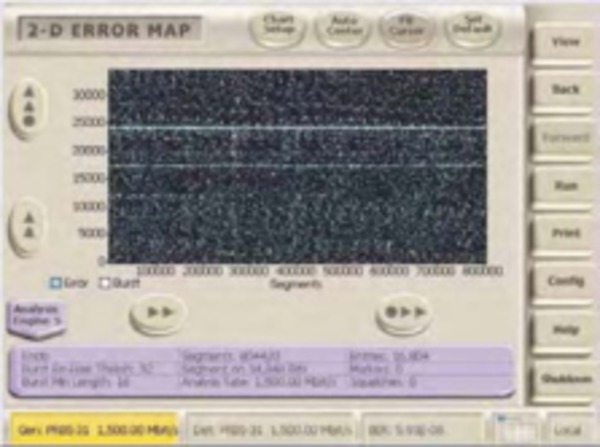
2D error maps conveniently show hours or microseconds of data collection. Blocks of user data are lined up column-by-column to show error correlations.
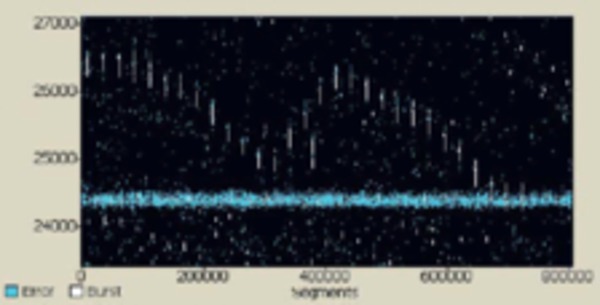
Burst and nonburst errors are shown in different colors. In this display, a background burst problem is superimposed on other nonburst error types. A distinct nonburst error problem exists around 24,500 bits into the packet.
The error map is a vertical raster-scan image where errors cause pixels to illuminate on the display. Errors that are from bursts are shown in a different color to allow easy visual separation of burst and nonburst errors.
Blocking factors may correspond to any size, including packet sizes, multiplexer widths, or interleave depths. Blocking factors can also be determined by external marker signals. For instance, index markers from rotating disk drives can be used to make 2D maps that show repeating reads of a disk cylinder across the display. Errors repetitively found at the same location on the disk would cause horizontal streaks in the error map.
Error mapping based on packet size or multiplexer width can show if errors are more prone to particular locations in the packet or particular bits in the parallel bus connected to the multiplexer. This visual tool allows for human eye correlation, which can often illuminate error correlations that are otherwise very difficult to find - even with all the other error analysis techniques.
Error maps can be quickly panned and zoomed throughout hours of data collection. Cursors define regions, and the number of errors found inside the region is displayed. This tool provides the ultimate in visualizing how errors occur in systems.
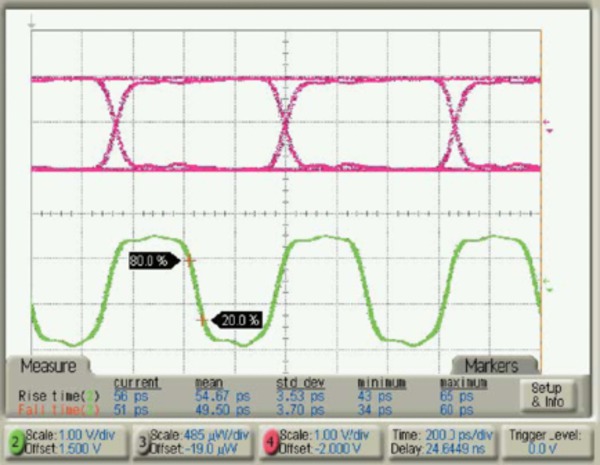
Typical data and clock outputs of the BA1600 at 1.5 Gb/s with 2 V p-p amplitude settings.
Pattern synchronization
The BA1500 and BA1600 support synchronizing to both PRBS and user-defined patterns (up to 8 Mb). Unlike other BER testers, user-defined patterns can be synchronized using two methods - one for speed and one for accuracy. For speed, user-pattern synchronization can be done by learning a repeating pattern from the incoming data. This typically takes only a few passes through the user pattern to gain synchronization, and is typically done fast enough to allow user-defined patterns during fiber recirculating loop experiments, or other applications where fast re-synchronization is required. For accuracy, the BitAlyzer can be preloaded with the expected user pattern such that a hardware-accelerated search can be done to find synchronization.
External control of pattern generator and error detector
BER experiments often require gating error measurement, precise timing of re-synchronizations and bursty packet-like data. The BitAlyzer has user blank inputs to gate where errors are counted and to control external re-synchronization. Marker signals can be provided to customize analysis results for specific applications.
Unique to the BitAlyzer Family, the pattern generator can be externally triggered to restart the pattern sequence. This allows transmitting packet-type data under external control, or synchronizing multiple pattern generators.
Differential inputs
Many modern high-speed communications systems employ differential signaling to improve common-mode noise rejection. For this reason, it is important to make bit error rate measurements using a true-differential receiver. At the same time, variable threshold for logic decisions is also a must for analysis techniques such as jitter measurements, eye diagrams, and mask tests.
The BA1500 and BA1600 have a new input technology that allows variable thresholds with settable DC termination voltages on differential input signals at very high data rates, while maintaining excellent return-loss performance.
Automatic delay calibrations
Precise variable-delay settings are critical to analysis such as jitter, mask testing, and eye diagrams. Past variable-delay technology has either been slow or was not able to maintain delay calibrations over long time periods or at different frequencies.
The BitAlyzer includes a new technology for automatically calibrating the entire variable-delay element with sub-picosecond resolution capability in less than a second. Because this is so fast, it is convenient to allow re-calibration when changes in temperature or frequency occur that might cause delay error.
Automatic eye masks
Mask templates for eye diagram testing often come from industry-standard definitions; however, these masks are usually only good for go/no-go type testing. More precise masks that circumscribe the details of a particular device output waveform can be used to monitor minor variations to production practices.
The Bit Error Rate Contour analysis is the first bit error rate tester that automatically exports eye diagram masks created from bit error rate data taken around the perimeter of the eye.
Error location analysis
The BitAlyzer family of bit error rate testers have the added capability to study and archive the exact bit location of each error in the data stream.
This proven method has been used in applications over the last 10 years to isolate error causes, find correlations, identify interference and, in general, to solve problems. Error Location analysis can be done easily using the same test setups typically used for regular bit error rate testing.
EyeDiagraming
Eye diagrams are efficiently collected and correspond precisely to the bit error rate test data taken with the same device.
Pixel-by-pixel sampling, achieved by quickly positioning the decision window voltage and time to each pixel in the display, creates eye diagrams.
Output drivers
The output drivers in the BitAlyzers come from technology developed for 10 Gb/s communications systems. Precise designs provide for low jitter outputs with fast edge rates, and allow flexibility to change voltage amplitudes and offsets to cover all popular logic families. As current sources, the user interface allows setting the destination impedance and termination voltage to maintain calibrated voltage swings.
Specifications
All specifications are guaranteed unless noted otherwise. All specifications apply to all models unless noted otherwise.
Pattern generator specifications
- Maximum frequency
-
- BA1500
- 1500 MHz (1.5 GHz)
- BA1600
- 1600 MHz (1.6 GHz)
- Minimum frequency
-
- Internal clock
- 800 kHz
- External clock
- 100 kHz
- External clock/pattern start
- SMA
- Clock/data output
- SMA
- Configuration
- Differential
- Amplitude
- 70 mV to +2 V
- Offset
- -1.85 V to +3.85 V
- Logic families
- PECL/LVPECL/LVDS LVTTL/CML/ECL
- Rise/Fall
- ≤130 ps 1
- Delay range
- 30 ns or 1 UI
- Delay resolution
- 1% UI or 1 ps
1Rise/Fall times are measured 20% to 80% with PECL logic family settings.
- Trigger output
- BNC
- Type
- CLK/64 or pattern
- Pattern position
- Programmable
- Amplitude
- >1 V
- A/B pattern switch
- BNC
- Threshold
- TTL
- Data types
-
- Pseudo-random
- x7 + x6 + 1
x15+ x14+ 1
x20+ x17+ 1
x23+ x18+ 1
x31+ x28+ 1
- User defined
- 96 bits - 8 Mb
2-4 Mb A/B pages
32-bit word size
- Error insertion
-
- Length (bits)
- 1, 2, 4, 8, 16, 32, 64, 128
- Frequency
- Single or repetitive
Error detector specifications
- Maximum frequency
- 1600 Mb/s
- Minimum frequency
-
- BER measurements
- 100 Kb/s
- Auto-optimize eye
- 70 Mb/s
- Physical-layer tests
- 70 Mb/s
- Clock/Data Inputs
- SMA
- Configuration
- Differential or single
- Threshold
- -2 V to +4 V
- Termination
- -2 V to +3.3 V
- Delay range
- 30 ns or 1 UI
- Delay resolution
- 0.1% UI or 1 ps
- Sampling edge
- Rising or falling clock
- Sensitivity - Single
- 60 mVp-p (typical)
- Sensitivity - Differential
- 40 mVp-p (typical)
- Start detect
- SMA
- Configuration
- Single ended
- Threshold
- -2 V to +4 V
- Termination
- -2 V to +3.3 V
- Function
- Trigger data grab
- Trigger output
- BNC
- Type
- CLK/64 or pattern
- Pattern position
- Programmable
- Amplitude
- >1 V
- Error output
- BNC
- Function
- 32-bit pulse at error
- Amplitude
- >1 V
- Marker input
- BNC
- Threshold
- TTL
- Function
- Error analysis locator
- Maximum frequency
- 4 kHz recommended
- Blank input
- BNC
- Threshold
- TTL
- Function
- Ignore errors at active
- Re-synchronization
- Opt. triggered by edge
- Minimum resolution
- 32 bits
- Data types
-
- Pseudo-random
- x7 + x6 + 1
x15+ x14+ 1
x20+ x17+ 1
x23+ x18+ 1
x31+ x28+ 1
- User defined
- 96 bits - 8 Mb
32-bit word size
- Re-synchronization
-
- Manual
- Push-button or blank
- Automatic
- Programmable error threshold
- User grab
- Find repeating pattern
- User shift
- Hardware pattern search
- Data capture
- Up to 8 Mb capture
- Measurements
- BER, bit, re-sync PG/ED clock frequency
- Views
-
- Home view
- Starting page
- Generator
- Generator settings
- Detector
- Detector settings
- Editor
- Edit patterns, masks
- System
- Utility tools
- Log
- Long-term BER log
- Error analysis views
- Standard
- Basic BER
- Table of BER statistics
- Burst length
- Histogram of burst size
- Error-free interval
- Histogram of intervals
- Correlation
- Error position histogram
- Pattern sensitivity
- Errors within pattern
- Block mode
- Errors per block histogram
- Strip chart
- BER versus time chart
- Physical layer test views
- Optional
- Eye diagram
- Display eye diagram
- BER contour
- Map BER around eye
- Mask test
- Perform mask tests
- Jitter analysis
- DJ/RJ/TJ jitter measurement
- Q-factor analysis
- Setup and display Q
- Error location capture
-
- Live analysis
- Continuous
- Error logging capacity
- Maximum 2 GB file size
- Error events
- 10,000
- Maximum burst length
- 32 kb
General specifications
- TFT display
- 640 × 480 VGA, 8.4"
- Touch sensor
- Analog resistive
- Self-test
- On power up
- Processor
- 1.66 GHz N455
- USB 2.0
- On instrument rear side
- Hard disk drive
- 160 GB or higher
- Keyboard
- 65 key USB
- DRAM
- 1 GB
- Operating system
- Windows 7
- Monitor output
- DB-15 VGA
- Mouse
- USB
- Remote control
- IEEE-488 or TCP/IP
- Network interface
- 10/100/1000 MB Ethernet
- Weight
- 16.34 kg (36 lbs.)
- Power
- 285 W, 100-240 VAC
- Size
- 218.4 mm × 419.1 mm × 488.9 mm (8.6 in. × 16.5 in. × 19.25 in.)
Ordering information
Models
- BA1600
-
Standard instrument 1.6 Gb/s Pattern Generator and Error Analyzer Option PL Add Physical Layer Test Suite, MAP (Error Mapping analysis), and ECC (Error Correction Coding emulation) - BA1500
-
Standard instrument 1.5 Gb/s Pattern Generator and Error Analyzer Option PL Add Physical Layer Test Suite, MAP (Error Mapping analysis), and ECC (Error Correction Coding emulation)
DataSheetLastPage
| ASEAN / Australasia (65) 6356 3900 | Austria 00800 2255 4835* | Balkans, Israel, South Africa and other ISE Countries +41 52 675 3777 |
| Belgium 00800 2255 4835* | Brazil +55 (11) 3759 7627 | Canada 1 800 833 9200 |
| Central East Europe and the Baltics +41 52 675 3777 | Central Europe & Greece +41 52 675 3777 | Denmark +45 80 88 1401 |
| Finland +41 52 675 3777 | France 00800 2255 4835* | Germany 00800 2255 4835* |
| Hong Kong 400 820 5835 | India 000 800 650 1835 | Italy 00800 2255 4835* |
| Japan 81 (3) 6714 3086 | Luxembourg +41 52 675 3777 | Mexico, Central/South America & Caribbean 52 (55) 56 04 50 90 |
| Middle East, Asia, and North Africa +41 52 675 3777 | The Netherlands 00800 2255 4835* | Norway 800 16098 |
| People's Republic of China 400 820 5835 | Poland +41 52 675 3777 | Portugal 80 08 12370 |
| Republic of Korea +822 6917 5084, 822 6917 5080 | Russia & CIS +7 (495) 6647564 | South Africa +41 52 675 3777 |
| Spain 00800 2255 4835* | Sweden 00800 2255 4835* | Switzerland 00800 2255 4835* |
| Taiwan 886 (2) 2656 6688 | United Kingdom & Ireland 00800 2255 4835* | USA 1 800 833 9200 |
* European toll-free number. If not accessible, call: +41 52 675 3777
For Further Information. Tektronix maintains a comprehensive, constantly expanding collection of application notes, technical briefs and other resources to help engineers working on the cutting edge of technology. Please visitwww.tek.com.
Copyright © Tektronix, Inc. All rights reserved. Tektronix products are covered by U.S. and foreign patents, issued and pending. Information in this publication supersedes that in all previously published material. Specification and price change privileges reserved. TEKTRONIX and TEK are registered trademarks of Tektronix, Inc. All other trade names referenced are the service marks, trademarks, or registered trademarks of their respective companies.