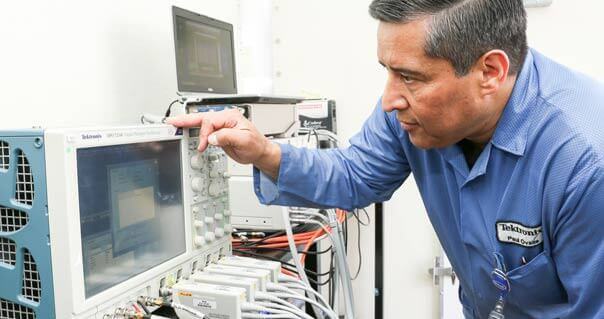
TDS Video Trigger Option Allows Capture of Video Signals
Figure 1. The video trigger option for the Tektronix TDS 500, TDS 600 and TDS 700 digitizing oscilloscopes contains features no other oscilloscope can match. Covering a broad range of broadcast video triggering needs, this triggering option not only recognizes and triggers on NTSC, PAL, SECAM, Betacam video, S-VHS, Hi-8 and HDTV formats, it can also be programmed to trigger on customized HDTV signals. With this all-encompassing tool, you can now trigger on a wide variety of video signals in use today. Video imaging technology, once confined to the TV production studio, can now be found in every corner of our information-based society. From medical and diagnostic imaging to military targeting, or from multimedia studios to home video, the applications for video technology are growing each day. Paralleling this rapid growth, there arises the need for test and measurement instrumentation that can trigger on and measure the wide assortment of complex video signals available today. In addition, test equipment users need a thorough knowledge of video waveform characteristics and a familiarity with the latest test equipment and measurement techniques. In this application note we'll discuss basic video image capture, conversion, processing and display. We'll take a close look at a basic video signal. We'll introduce the Video Trigger Option for the Tektronix TDS 500, TDS 600, and TDS 700 Digitizing Oscilloscopes. And we'll include common applications to illustrate the use of this powerful new tool. Video BasicsConversion. Video signals can come from a number of sources -- a camera, a scanning process, or an image keyed in at a graphics terminal. Typically the signal is broken down into three component analog or digital signals representing the three primary color elements: the Red, Green, and Blue (RGB) component signals. The next step, conversion (Figure 1), is where the real differences in TV methods and standards begin. The RGB signal is converted into three component signals: the luminance signal, Y, and two color difference signals, B-Y and R-Y. The color difference signals can take on many different forms, depending on the standard or format used (Y, I, Q for NTSC systems; Y, U, V for PAL systems; Y, P[B], P[R] for SMPTE systems, and so forth). The three derived component signals can then be distributed for processing. . . Processing. In this stage, video component signals can be combined to form a single, composite video signal (as in NTSC or PAL systems), divided into two separate luminance and chrominance signals (as in Y/C systems: S-VHS or Hi-8), or maintained separately as discrete component signals (as in HDTV systems). In composite video, the luminance and chrominance signals are combined, or encoded, into a single video signal for processing and transmission. There are distinct advantages to maintaining component signals separately, however, especially in the recording and processing stage where many combinations of switching, mixing, special effects, color correction, noise reduction, and other functions may be applied to the signals. Since there is no encoding/decoding process as in composite video, signal integrity is better maintained in component video systems and equipment. The result is a higher quality final image. Display. After transmission, the objective is the same: to produce an accurate image plus any additional information added in the processing stage (such as text or special effects). In NTSC commercial broadcasting, the composite signal is decoded, not to its original form, but to a near equivalent, the Y, B-Y, R-Y form, and then must be converted once again to closely approximate the original RGB signal from the video camera for display on the monitor. Component video signals go through more of a one-step process, being reconverted directly to an RGB signal for display. The Video SignalNow let's take a close look at an actual video signal. To accurately reproduce an image, a video screen or camera receiver is scanned by an electron beam moving across the screen horizontally and vertically (Figure 2a). The horizontal lines on the screen might be scanned alternately -- odd numbered lines first, then even numbered lines -- as in "interlaced" scanning systems, or they might be scanned sequentially, one after another, as in "progressive" scanning systems. Each vertical scan is called a field, and involves only half of the lines on the screen in interlaced systems. In both systems, two complete scans of the screen are called a frame. ![]()
Figures 2a, 2b, 2c. Both camera and receiver must be synchronized to scan the same part of the scene at the same time. This synchronization is handled by the horizontal sync pulse, which tells the receiver to start a horizontal trace. During the horizontal blanking interval, the beam returns to the left side of the screen and waits for the horizontal sync pulse before tracing another line. This is called "horizontal retrace" (Figure 2b). When the beam reaches the bottom of the scene it must return to the top to begin the next field. This is called the "vertical retrace" and is signaled by the vertical sync pulse (Figure 2c). The vertical retrace takes much longer than the horizontal retrace, so a longer synchronizing interval -- the "vertical blanking interval" -- is employed. No information is written on the video screen during the horizontal or vertical blanking intervals (Figure 3). Horizontal sync and burst occur during horizontal blanking. During vertical blanking, vertical sync, vertical equalizing pulses, and vertical serrations occur. Equalizing pulses cause the video fields to begin tracing at the proper points to achieve interlacing. Vertical serrations keep the video receiver's horizontal sync circuitry from drifting off frequency when no picture information is present. Burst contains phase and frequency reference information required for synchronous demodulation of the color information in the receiver. ![]()
Figures 3. A Complete Video Measurement ToolsetEquipped with the video trigger option, the TDS 500, TDS 600, and TDS 700 digitizing oscilloscopes provide all the tools you need for advanced video research, design and maintenance. The TDS 500 and TDS 700 family of InstaVuTM DSOs offer models with 1 GHz and 500 MHz bandwidth for each of two or four input channels, up to 4 GS/s maximum sample rate, and a record length of 50,000 to 2M points per channel. With the TDS 600 family, you get up to 5 GS/s sample rate on all channels with a 500 MHz bandwidth. These instruments provide Averaging and Envelope acquisition modes, Infinite and Variable Persistence display modes, as well as Edge, Pulse and Logic triggering modes. The TDS 500 and TDS 700 products also include a Hi-Res acquisition mode that provides up to 13-bit resolution, and a Peak Detect acquisition mode for automatic glitch detection. The high bandwidths of the TDS products enable you to detect clock-speed anomalies riding on complex video waveforms. Using the infinite persistence display mode, you can identify infrequent or intermittent TV signal aberrations. With glitch triggering capabilities you can quickly track down and display fast or intermittent spikes. And you can use the high sample rates and automatic measurement capabilities to obtain the precise setup and hold values needed in HDTV applications. Built-in-FlexibilityFlexibility is built into the TDS video trigger. It provides a variety of tools for investigating events that occur when a video signal generates a horizontal or vertical sync pulse. You can trigger on EVEN or ODD fields or ALL fields. Or, you can specify the particular color field where you want to view a line, allowing you to quickly pinpoint causes of picture anomalies. You can also trigger on any line in any numeric, odd, even, or all fields. Video trigger setup is simplified with a screen menu that guides you through selection of the video format (NTSC, PAL, HDTV, or FlexFormat[TM]), video source (any of four channels), sync polarity (negative- or positive-going sync pulse), field class (numeric, odd, even or all fields), and trigger mode (NTSC, PAL or SECAM). And if you select the HDTV mode, you can choose from the 787.5/60 or 1050/60 North American formats, the 1125/60 Japanese format, or the 1250/50 European format. If you're an NTSC or PAL user, the video trigger option puts you directly into a familiar environment. Graticules for NTSC and PAL signals are available from the DISPLAY menu. When either of these software graticules are selected the oscilloscope automatically scales the video signal to the graticule you've chosen, allowing you to quickly assess the captured signal (Figure 4). ![]()
Figures 4. Display Menu - NTSC Graticule. You can also choose video cursors that let you measure in IRE (for NTSC) vertical amplitude units and video line number horizontal units. This allows you to read the proper units directly from the screen rather than having to convert from volts to IRE. Muilti-Channel MeasurementsFour channels are available with many of the TDS models, allowing you to view component or composite video signals separately. For composite video and Y/C systems, synchronization of sources is essential. In component video, timing and gain must be tightly controlled. The four-channel models, equipped with the video trigger option, allow you to view the appropriate signal components separately. And a comprehensive video measurement set lets you analyze timing, amplitude, frequency response, phase, gain, noise and clock stability with the utmost efficiency. In addition, each signal can be displayed in a different color for easy discrimination of signals. Video Clamp Pod Removes AC HumA common signal anomaly encountered in video measurements is the low frequency hum produced by AC line voltage. This hum, when not removed from the video signal, causes the signal to drift up and down in the display (Figure 5). The Video Trigger Option includes a Video Clamp Pod that effectively removes AC hum. The Clamp Pod attaches to the input BNC connector and serves as a pre-processor of the video signal. It provides "Back-porch" clamping on all standard video signals, and can be used to clamp to customized HDTV signals as well. The Video Clamp Pod also provides excellent flatness to your captured signal, allowing more accurate video measurements. ![]()
Figures 5. The upper waveform in this screen shot is an unclamped video signal. Notice the information in the vertical interval is not flat across the top, but rather is drifting upward in the display. The bottom trace is the same video signal clamped with the Video Clamp Pod. Notice the excellent flatness of the vertical interval information. FlexFormat -- Custom HDTV TriggeringThere are a variety of HDTV formats in use today in various applications. Thus far, the 787.5/60, 1050/60, 1125/60, and 1250/50 formats are the most widely used. However, new formats are still being experimented with. Certain market segments have created their own HDTV signal formats and established their own standards. For example, the medical imaging and military segments have developed HDTV standards to fit their immediate needs. This simply adds to the confusion when searching for video test and measurement instrumentation. The TDS video option provides a solution for customized HDTV triggering needs. With the FlexFormat[TM] triggering mode you can specify the timing of customized tri-level sync pulses (Figure 6), input any field rate between 20 and 200 Hz with up to two digit resolution, and define the number of lines and fields in your customized format. ![]()
Figures 6. The FlexFormat[TM] triggering mode allows you to define the start and stop times of tri-level sync pulses for both odd and even fields. V1 Start Time is the time from the positive edge of the tri-sync pulse for the last line in the selected field (t0) to the leading edge (negative) of the first negative vertical sync pulse. V1 Stop Time is the time from t0 to the trailing edge (positive) of the first negative vertical sync pulse. V2 Start Time is the time from the positive edge of the tri-sync pulse for the last line in the selected field (t0) to the leading edge (positive) of the second vertical sync pulse. V2 Stop Time is the time from t0 to the trailing edge (positive) of the second negative vertical sync pulse. If Fields is set to 1, the V2 entries are ignored. Single Pixel TriggeringWith the video monitor market moving toward flat panel displays, more and more design and debug applications will need single pixel triggering and analysis capabilities. The TDS oscilloscopes equipped with the Video Trigger option are the first oscilloscopes to provide this ability. A "DELAY BY EVENTS" trigger allows you to define each pulse of the device-under-test's system clock as an Event. Each event then corresponds to a pixel, so that successive events equate to successive pixels. Here's how it works. First, connect the video signal of interest into Channel 1. Connect the system reference clock from the DUT into Channel 2, 3 or 4, or the external trigger input on the rear panel. For this example we'll use Channel 2. Now we have to instruct DELAY TRIGGER to use Channel 2 as its source. To do this, we first setup the delay trigger by pressing the SHIFT, TRIGGER MENU buttons on the front panel. This will give you the Delay Trigger screen menu. You select Delay by EVENTS, and select Channel 2 as the SOURCE of the delay trigger. Turn on Channels 1 and 2. Now we can set up Channel 1, main trigger, to trigger on the video signal. Press the TRIGGER MENU button on the front panel to get the Main Trigger screen menu. Select VIDEO trigger. Select appropriate standard and parameters to trigger on the interested section of the signal. Turn on the Delay Trigger by going to the Horizontal menu and selecting the DELAYED ONLY time base. Now, go back to the Delay Trigger menu. Then select EVENTS on the side menu. You can now dial in the event you want to see, or enter the appropriate number at the keypad (Figure 7). Note that both trigger indicators on the Channels, 1 and 2, move at the same time. ![]()
Figures 7. Single Pixel Triggering - The system clock, bottom waveform, serves as the Delay Trigger for the video signal (top waveform). With Delayed by Events, each event corresponding to a pixel, the viewer can observe the video signal at each pixel. ApplicationsBasic NTSC Video Amplitude Measurements. The overall video signal amplitude is of critical importance to picture crispness and clarity. Deviations from the nominal 1V signal, expressed in IRE units or as percentages, are referred to as insertion gain or loss. Any equipment in the video path may change the gain, resulting in a cascade of errors and possibly severe picture impairments. And any insertion gain error, whether from a signal amplitude that's too large or too small, may eventually manifest itself as signal distortions. It is important, therefore, for each piece of equipment to accurately transfer a 1V signal at its input to a 1V signal at the output. Insertion gain is measured at the output of every active device in the signal path. To check overall signal amplitude of a standard NTSC video signal, connect a cable from the output of the equipment under test to the Video Clamping Pod and select the appropriate source (channel) from the side menu. (The cable should be terminated into 75 ohms.) From the main (bottom) menu, select VIDEO from the trigger TYPE pop-up menu, and select NTSC from the STANDARD pop-up menu. Selecting NTSC from the DISPLAY menu will change the graticule to the appropriate video format scaled in IRE units. The oscilloscope automatically positions the waveform in the correct vertical position, where the blanking (back-porch) level overlays the 0 IRE graticule line. The white level should overlay the 100 IRE or 75 IRE mark, depending on the color bars used. The sync pulse should extend to -40 IRE. With the TDS Video Trigger it's easy to view different lines or fields. Press the FIELD selector of the main menu, then select the Field number (1-4), ODD, EVEN, or ALL Fields from the side menu (Figure 8). Press the LINE selector in the main menu and then either dial in the desired line number with the main control knob or key in the line number at the keypad. Entering the line number at the keypad can save considerable time when viewing widely separated lines. ![]()
Figures 8. Main Trigger Menu - Selecting Video Fields. A check of the chrominance content of the signal can be performed while examining amplitudes. Ideally, each frequency packet in a multiburst signal should have the same peak-to-peak amplitude. The multiburst signal in Figure 9 shows that the amplitude of the signal rolls off at high frequencies. This indicates faulty processing at some stage of the video signal transfer, resulting in a loss of horizontal detail on the picture screen. A test of this nature is extremely useful for maintaining signal integrity in any application where the signal may be regenerated many times, or where the signal is transmitted from station to station. ![]()
Figures 9. The high frequency amplitude roll off shown here indicates degradation of horizontal detail. To measure such amplitudes precisely, automatic amplitude measurements with horizontal, gated, bar cursors may be used. In addition, averaging can be used to eliminate unwanted noise, providing a more accurate measurement. HDTV Interchannel Timing Measurements. As we noted earlier, in HDTV applications the red, green and blue components of a video signal are maintained separately as discrete component signals through the processing stage, and then are recombined for the display. Consequently, the sync pulses of the three component signals must be in the same phase at the point at which they are combined. If they are not properly timed, the viewer will see a horizontal shift when the program switches from one source to another. Even though all signals are locked to a reference, timing errors may arise as signals travel through different cable lengths, delaying one with respect to the other. Therefore, the timing delay for each piece of equipment must be adjusted to bring all signals into coincidence at the switcher. This can be clearly illustrated by connecting the Red, Green, and Blue components of an HDTV signal into channels 1, 2, and 3 of a TDS oscilloscope. The luminance signal, Y, is connected to channel 1 and the color difference signals, B-Y and R-Y, are connected to channels 2 and 3 respectively in Figure 10a. [You can use the color capabilities of the oscilloscope to give each trace a different color -- green, blue and red, for example.] ![]()
Figures 10a, 10b. In figure a the Y, B-Y, and R-Y components of an HDTV signal appear to be synchronized. However, when the three component signals are overlayed at the same horizontal level it becomes obvious interchannel timing is skewed - the three components are not precisely synchronized. For this example, we've intentionally used cables of different lengths. Even though the signals appear synchronized in Figure 10a, when we overlay the components at the same horizontal level, and expand them vertically and horizontally as shown in Figure 10b, we immediately see that there is a couple of nanoseconds difference between the channels. This gives us a direct visual indication that inter-channel timing is off. In the video display screen this will appear as color-distorted vertical edges. Precise measurement of the timing difference can be made using the vertical cursors. By placing one cursor bar on the zero axis crossing of the green signal trace, for example, and the other bar on the zero axis crossing of the blue trace, the oscilloscope automatically calculates the timing difference. Measurements of other timing parameters, such as sync pulse width, risetime and falltime, are important for verifying a video signal's compliance with a standard. The TDS oscilloscope with the Video Trigger option simplifies such measurements. Cursor bars can be used for gated measurements, allowing you to quickly determine 10% and 90% points of rising and falling edges, and automatically calculate risetimes and falltimes. And since pulse width is determined from the 90% (-4 IRE) points of the two transitions, calculation of pulse width is automatic as well. Using FlexFormat. With the FlexFormat trigger mode you can set up the oscilloscope to trigger on customized video signals. Here's how it works. First, let's assume we know all the relevant parameters of a customized signal: Field Rate, Number of Lines, Number of Fields, Sync Width, V1 Start and Stop Times (see Figure 6), and V2 Start and Stop Times. Trigger setup is then as simple as keying in the appropriate values for these menu items. Select FLEXFORMAT from the STANDARD main menu. The first side menu will appear with FIELD RATE, LINES, FIELDS, SYNC WIDTH selectors. The default values are: Field Rate = 59.94 Hz; Lines = 1050; Fields = 2; and Sync Width = 890 nsec . Press the menu button associated with each parameter in turn, then key in the values that need to be changed at the keypad. Press ENTER to record each changed value (Figure 11). ![]()
Figures 11. FlexFormat Menu. To reach the menu for setting up the V1 and V2 parameters, press the menu button opposite the "-more- 1 of 2" selector. A side menu will appear with V1 and V2 START and STOP TIME selectors. The default values are: V1 Start Time = 3.56 microsecond; V1 Stop Time = 11.56 microsecond; V2 Start Time = 15 microsecond; and V2 Stop Time = 15.89 microsecond. Again, select each parameter that needs to be changed and key in the appropriate value. Triggering on your customized signal is now as easy as selecting an input channel. The oscilloscope does the rest. The TDS oscilloscope also allows you to easily save each FlexFormat setup. Press the SETUP button on the front panel, then select SAVE CURRENT SETUP from the main menu. You may save your setup to a disk file of your choice, or to one of 10 setup files in memory. If you do not know the Sync Width or the V1 & V2 Start and Stop times, you can perform a single-shot capture of the signal using the TDS oscilloscope's high sample rate. Then simply measure the unknown parameters using the oscilloscope's cursors. ConclusionIn this application note we've concentrated on the challenges in designing and measuring video signal and the benefits obtained by using the Video Trigger option with the TDS family of digitizing oscilloscopes. With the ability to trigger on many video signal types, these advanced tools can be used for video research and design, production line testing, broadcast monitoring, and troubleshooting. This is, however, only part of the picture. Measurements on discrete electronic signals within video equipment are just a few of the many measurements these digitizing oscilloscopes can make. The general purpose nature of these instruments allows them to be used for general electronic design and debug, manufacturing test, automated production line testing, or detailed troubleshooting of essentially any electronic signal. With up to 5 GS/s sample rates and 1 GHz bandwidth on each of four channels, record lengths up to 8M, comprehensive waveform measurement functions, and advanced triggering capabilities the Tektronix TDS 500, TDS 600, and TDS 700 Digitizing oscilloscopes provide you with a full spectrum of tools. 55W-8860-0a
|
|
|
|
[an error occurred while processing this directive]